Most professionals find themselves drowning in a sea of emails daily. When you’re managing over 100 emails, it’s not just about responding to each one; it’s about determining which emails actually require your attention and action. This is where AI email triage becomes essential. It helps you sort through the noise, prioritize tasks, and ensure that you’re acting on the most critical communications first.
The challenge lies in effectively organizing and prioritizing emails so that you can focus on what truly matters. Ignoring important emails or delaying responses can have detrimental effects on your productivity, deadlines, and even revenue. In this post, we’ll explore how AI can streamline your email management process and introduce you to an effective solution.
Table of contents
Method 1: Understanding Email Triage
Email triage is the process of sorting and prioritizing emails to ensure that critical communications are addressed promptly. For professionals managing high-volume inboxes, this practice is vital. By categorizing emails based on urgency, importance, and other relevant factors, you can streamline your workflow and prevent important messages from slipping through the cracks.
Consider a sales manager who receives dozens of emails daily regarding client inquiries, internal reports, and project updates. Without a systematic approach to email triage, important messages related to potential deals could easily get lost among less critical communications. By implementing email triage, this manager can quickly identify which emails require immediate attention and which can be addressed later.
Pros: Improves efficiency, reduces stress, ensures timely responses.
Cons: Requires discipline to maintain, initial setup can be time-consuming.
Email triage is best for professionals in roles that demand quick responses, such as sales, customer service, and operations management.
Method 2: The Role of AI in Email Management
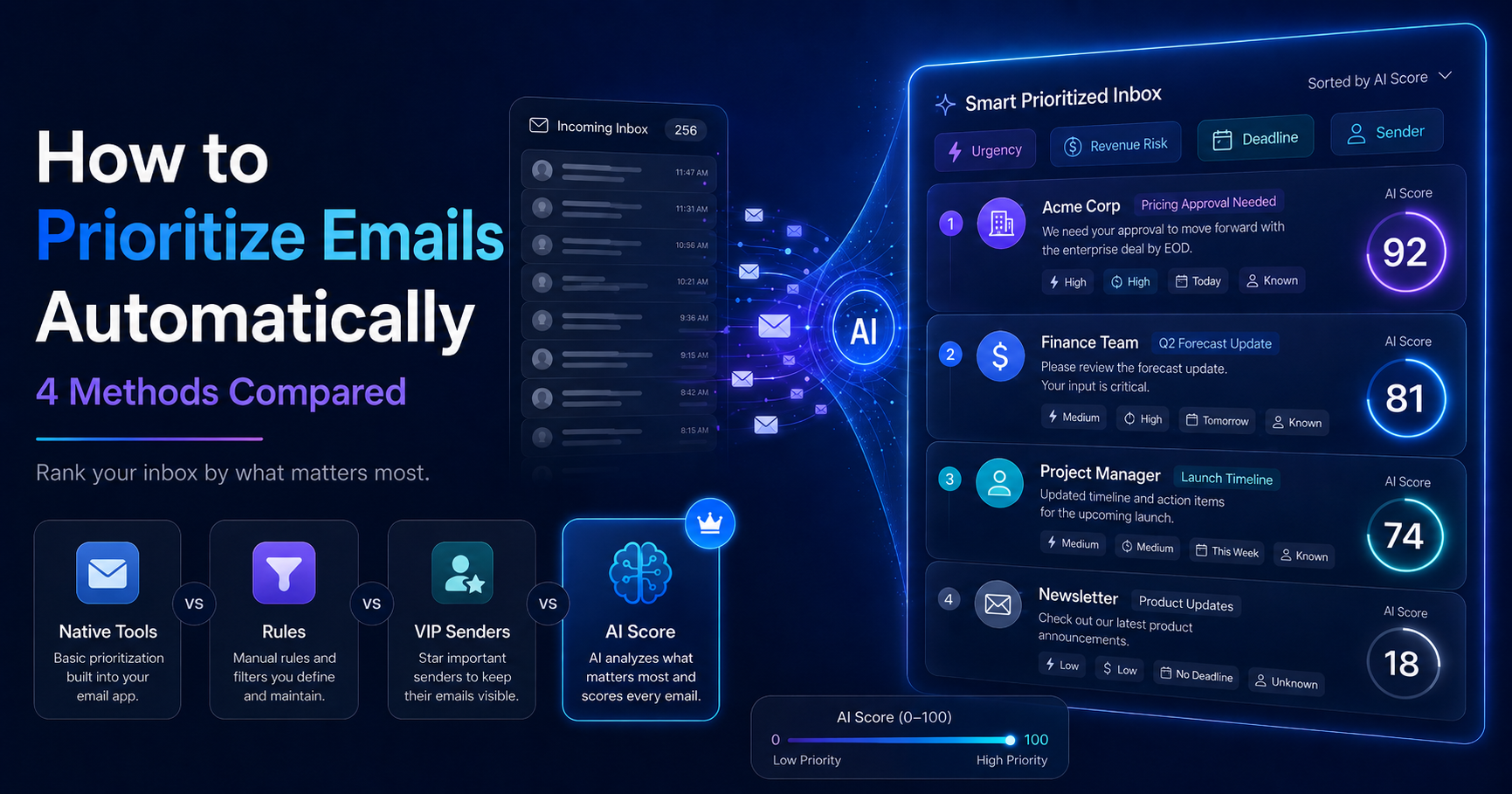
Artificial intelligence can significantly enhance the process of email triage. AI tools can automate the sorting and prioritization of emails, allowing you to focus on more critical tasks. By analyzing various factors, like sender reputation, keywords, and historical interactions, AI can determine the urgency and importance of each email.
For example, a small e-commerce team might use AI to prioritize customer inquiries about shipping delays over internal emails about team meetings. This way, the most pressing issues are addressed first, improving customer satisfaction and overall efficiency.
Pros: Saves time, reduces manual sorting, increases accuracy.
Cons: Initial learning curve, potential for misclassification.
AI in email management is particularly beneficial for teams that handle high volumes of customer inquiries, such as support teams, sales teams, and administrative professionals.
Method 3: Introducing the AI Decision Engine
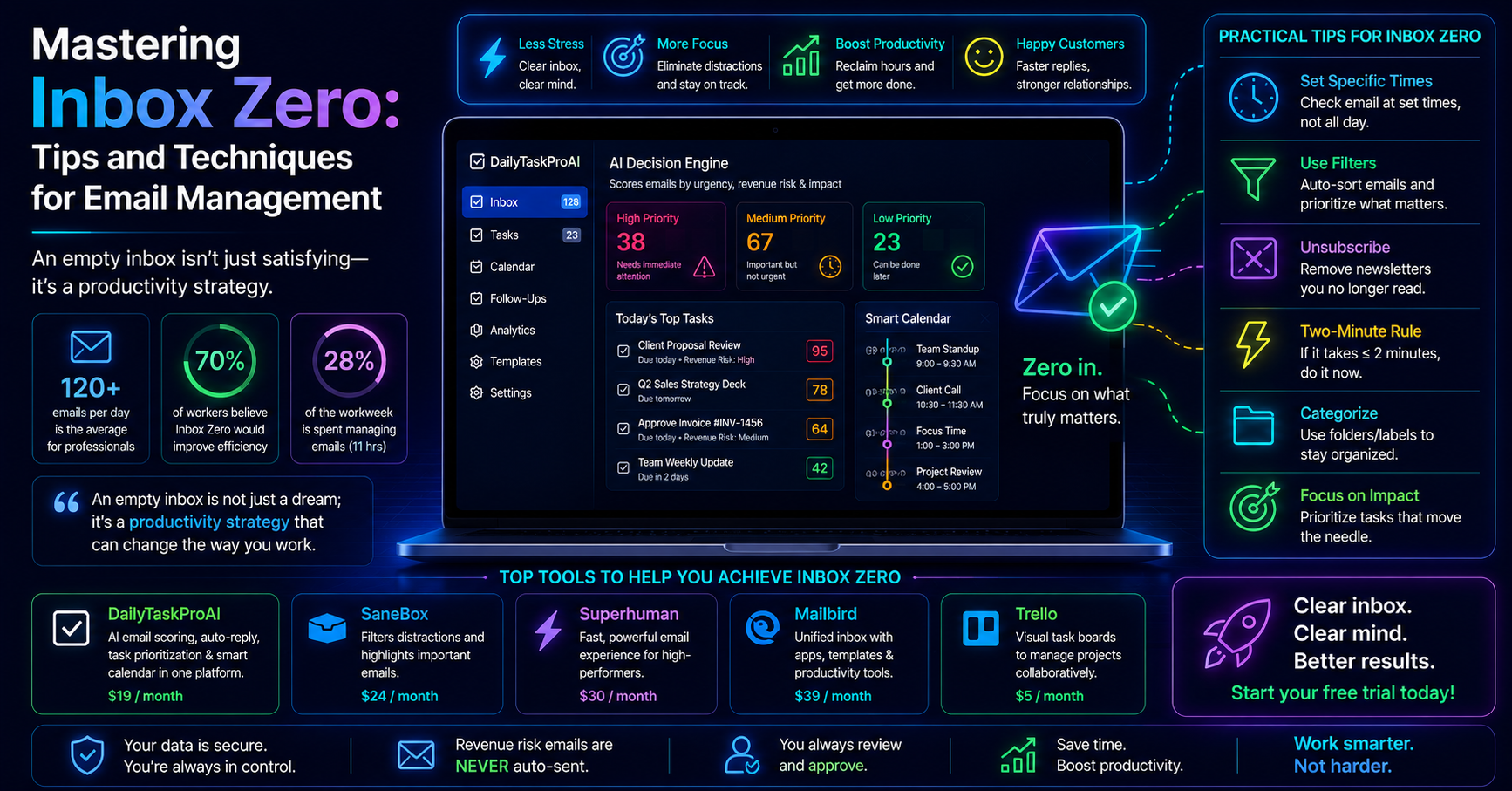
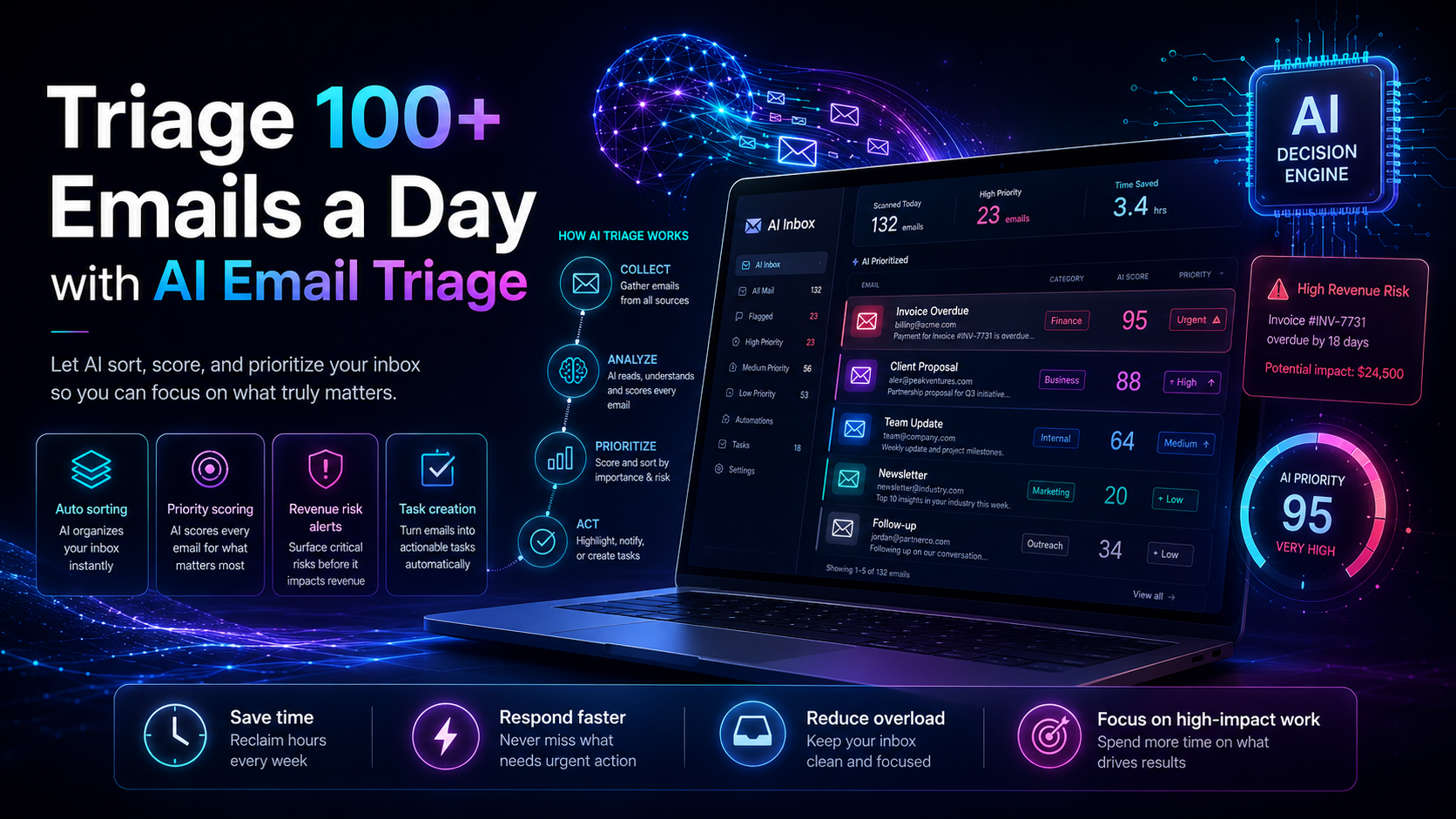
The AI Decision Engine feature of DailyTaskProAI takes email triage to the next level. This tool reads your inbox and scores every email from 0-100 based on factors such as revenue risk, urgency, and sender reputation. This scoring system allows you to see at a glance which emails require your immediate attention.
For instance, if you receive an invoice from a key supplier, the AI Decision Engine will score it high on the revenue risk scale. Conversely, a promotional email from a vendor may score low. This intelligent scoring helps you prioritize effectively and avoid missing critical communications.
Pros: Objective scoring, quick prioritization, integrates seamlessly with your inbox.
Cons: Depends on accurate classification of emails.
This tool is ideal for solo founders, small teams, and sales professionals who need to prioritize their emails efficiently to maximize revenue and productivity.
Method 4: Automated Email Sorting: How It Works
Automated email sorting is an essential component of effective email triage. With tools like DailyTaskProAI, emails are sorted based on their scores from the AI Decision Engine. This means you’ll see the most critical emails first, allowing for quicker decision-making and response times.
Imagine a busy operations manager who starts each day with a messy inbox. By using automated sorting, the most urgent emails, such as client requests and project deadlines, appear at the top, while less critical emails are organized away. This not only streamlines the workflow but also ensures that the manager can focus on high-impact tasks first.
Pros: Saves time, ensures priority emails are seen first, reduces overwhelm.
Cons: May require adjustments to sorting criteria over time.
Automated email sorting is especially beneficial for professionals in fast-paced environments, such as sales teams or customer service representatives who need to respond quickly to inquiries.
Method 5: Task Prioritization Made Easy
Integrating task prioritization with email management is crucial for maintaining productivity. DailyTaskProAI not only triages your emails but also helps you prioritize the associated tasks. When an email requires action, it can be transformed into a task that is scheduled into your day.
For example, if you receive an email about an upcoming meeting, DailyTaskProAI can create a prep task that reminds you to gather materials and notes an hour before the meeting. This seamless transition from email to task ensures you’re always prepared.
Pros: Keeps you organized, minimizes missed deadlines, helps in planning your day.
Cons: Requires adherence to task management practices.
This feature is particularly useful for individuals who juggle multiple projects and deadlines, such as project managers, sales people, and executives.
Method 6: Real-World Applications of AI Email Triage
Many professionals and teams are already using AI email triage to improve their workflows. For example, a small accounting firm may implement DailyTaskProAI to manage client communications efficiently. By scoring emails based on urgency and revenue risk, they ensure that time-sensitive client queries are addressed promptly, which enhances client satisfaction and trust.
Another example is a tech startup that uses AI email triage to handle investor communications. By prioritizing emails based on deal-critical threads, they ensure that potential funding opportunities are not missed, which can be vital for their growth.
Pros: Improves communication, increases efficiency, enhances client relationships.
Cons: Requires team training to maximize effectiveness.
Method 7: Benefits of Automated Email Sorting
Utilizing automated email sorting tools like DailyTaskProAI offers several advantages that can significantly impact your productivity and organization:
Time Savings: By automating the sorting process, you can quickly identify which emails require your attention, reducing the time spent sifting through your inbox.
Improved Organization: With important emails prioritized, your inbox becomes more manageable, helping you avoid missed messages and deadlines.
Enhanced Focus: When you know which emails are critical, you can focus your energy on responding to those, leading to better outcomes and reduced stress.
These benefits are particularly relevant for busy professionals who often struggle with overwhelming inboxes. For more insights on productivity, consider reading effective email management strategies.
FAQs About AI Email Triage
What is email triage?
Email triage is the process of sorting and prioritizing emails to determine which require immediate attention. It helps professionals manage high volumes of email by categorizing messages based on urgency and importance, ensuring that critical communications are addressed promptly.
How does AI help manage emails?
AI assists in email management by automating the sorting and prioritization process. It analyzes various factors such as sender reputation and keywords to determine the urgency of each email, allowing users to focus on the most critical communications first.
What are effective strategies for prioritizing emails?
Effective strategies include using tools that automate sorting, defining categories based on urgency and importance, and regularly reviewing your inbox to adjust priorities. Tools like DailyTaskProAI can help streamline this process by providing objective scoring for each email.
What types of professionals benefit from AI email triage?
Professionals in high-volume environments, such as sales teams, customer service representatives, and operations managers, benefit greatly from AI email triage. These roles often require quick responses to emails, making effective triage essential for productivity.
How can I get started with AI email triage?
You can get started with AI email triage by exploring tools like DailyTaskProAI, which offers features like the AI Decision Engine and automated email sorting. By integrating these tools into your workflow, you can better manage your inbox and increase your productivity.
Start Managing Your Inbox Effectively with DailyTaskProAI
If you're overwhelmed by the sheer volume of emails you receive, it's time to consider an effective solution. DailyTaskProAI combines email triage, task prioritization, and calendar auto-scheduling to help you regain control of your inbox. With features like the AI Decision Engine, you can ensure that revenue risk emails are NEVER auto-sent. You always approve. This intelligent approach to email management means you can focus on what truly matters in your workday.
Start managing your inbox more effectively with DailyTaskProAI today and experience the benefits of AI email triage for yourself.