Overwhelming inboxes and scattered tasks are a common issue for most professionals today. With the average worker spending about 28% of their workweek managing emails, that translates to approximately 11 hours each week. It's no wonder that more than 50% of employees report feeling overwhelmed by their inboxes, impacting their productivity and increasing their stress levels. Smart email organization can significantly reduce this burden, helping you reclaim your time and focus on what truly matters.
By embracing smart email organization, you're not just tidying up your inbox, you're streamlining your workflow and enhancing your productivity. This approach helps you distinguish between urgent and non-urgent emails, ensuring that important tasks don't get buried and deadlines are met without the last-minute scramble.
Table of contents
Method 1: Understanding Smart Email Organization
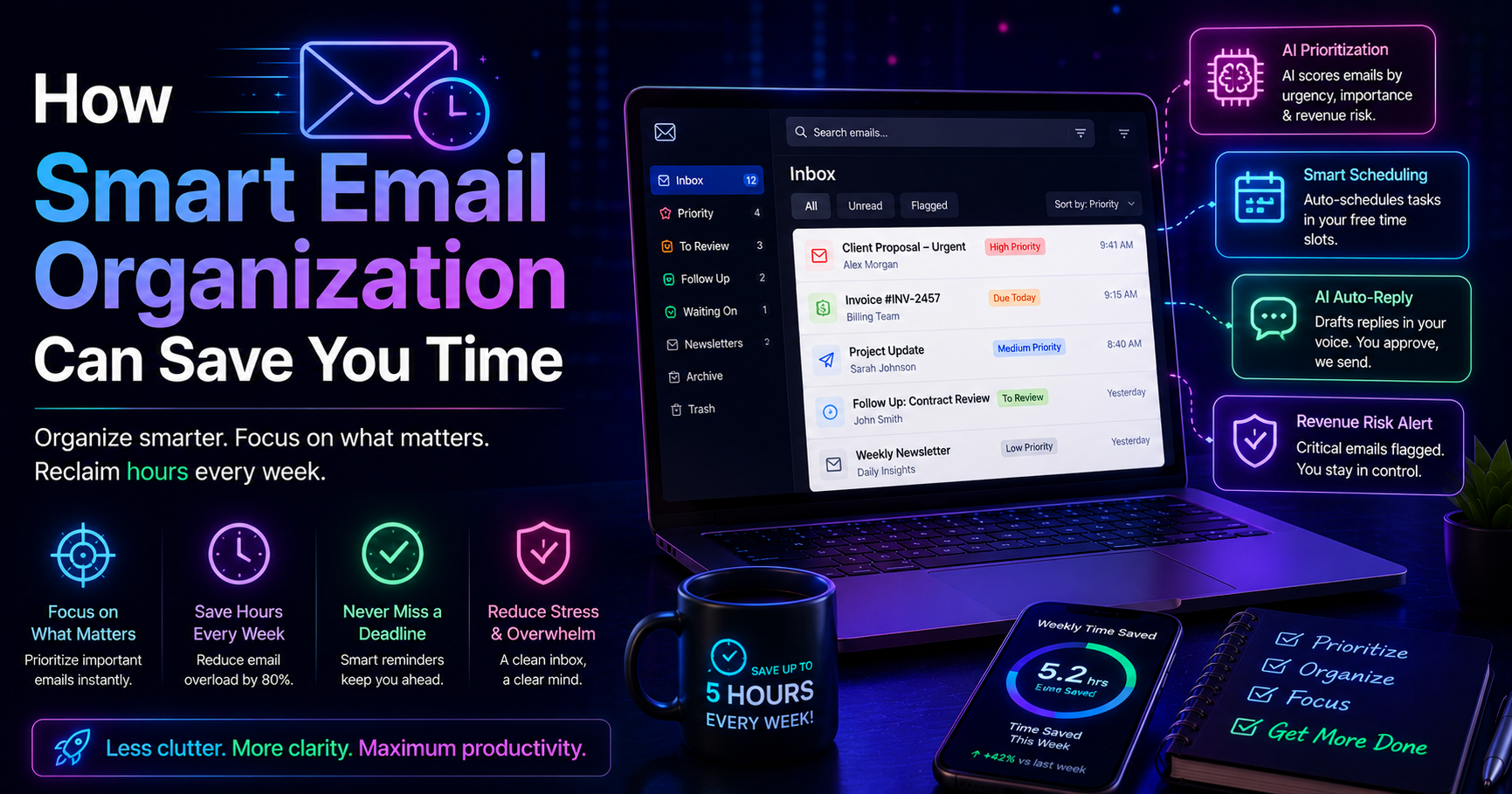
Smart email organization involves systematically managing your inbox to prioritize and streamline your communications. This method is essential for professionals who face the constant influx of emails that can disrupt workflow and cause unnecessary stress. By implementing smart email organization, you can create a more structured approach to your daily communications, leading to better time management and enhanced productivity.
For example, consider a sales manager who receives dozens of emails daily, from client inquiries to internal updates. Without a structured approach, they risk missing important messages and deadlines. By utilizing smart email organization techniques, such as categorizing emails by urgency and relevance, they can respond more effectively and focus on high-priority tasks.
Pros: Reduces stress, improves focus, enhances productivity.
Cons: Requires initial time investment to set up, ongoing discipline needed.
This method is particularly beneficial for professionals managing high volumes of emails, such as sales teams, operations managers, or small business owners. By adopting smart email organization strategies, you can ensure that your inbox works for you, not against you.
Method 2: The Inbox Zero Strategy
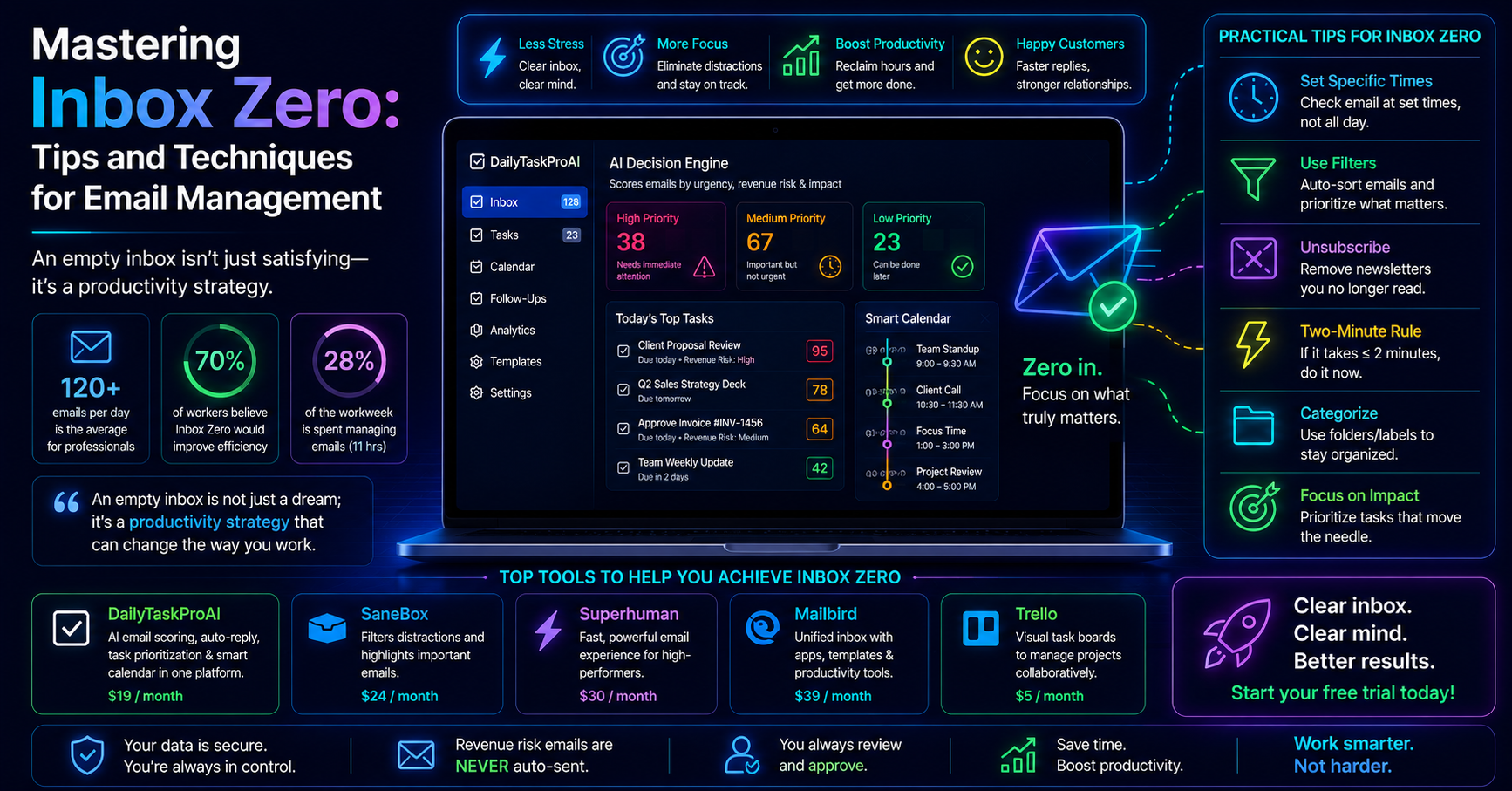
The Inbox Zero strategy is a popular email management technique aimed at keeping your inbox empty or nearly empty. The principle behind this method is that a cluttered inbox can lead to distraction and stress, while a clean inbox promotes clarity and focus. The approach involves regularly processing your emails and taking action on each email as soon as it arrives.
For instance, a project manager might set aside specific times each day to process emails. During these sessions, they will categorize emails into actionable tasks, delegate them, or archive them if no action is needed. This proactive approach allows them to maintain control over their inbox and reduces the likelihood of missing important messages.
Pros: Promotes discipline, reduces overwhelm, enhances focus.
Cons: Can be time-consuming, requires regular maintenance.
Inbox Zero is best for professionals who feel overwhelmed by their email volume and want to establish a more disciplined approach to email management. By implementing this strategy, you can create a more organized work environment and improve your overall productivity.
Method 3: Key Features of Effective Email Management Tools
When selecting an email management tool, consider essential features that can help streamline your workflow. Some of the key features to look for include:
Task Prioritization: Tools that score emails based on urgency and importance can help you focus on what matters most. For example, DailyTaskProAI's AI Decision Engine evaluates your inbox and suggests what to address first.
Calendar Scheduling: Integrating calendar scheduling with your email management can save time and reduce conflicts. Smart Calendar & Auto-Scheduling from DailyTaskProAI reads your emails, detects deadlines, and automatically schedules tasks based on your availability.
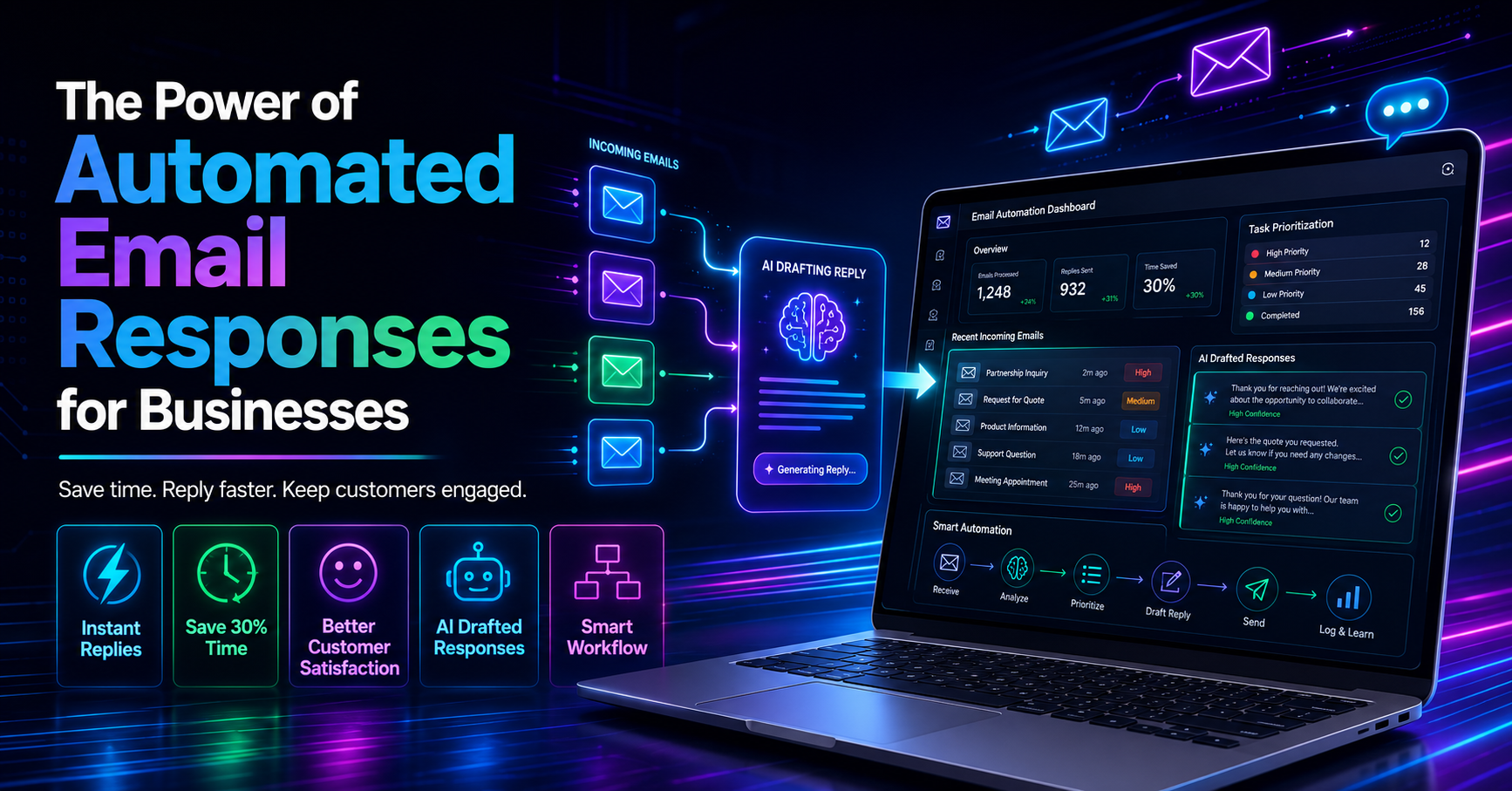
AI Assistance: AI-driven tools can draft replies in your voice and assist with managing your inbox more efficiently. This feature not only saves time but also ensures that responses maintain your personal touch.
For example, a small e-commerce team using an effective email management tool can quickly prioritize customer inquiries, schedule follow-ups, and respond to vendor communications, all from a single interface. The integration of these features enables a more cohesive workflow, ultimately enhancing productivity.
Choosing a tool with these key features is essential for anyone looking to improve their email organization and overall efficiency.
Method 4: How AI Enhances Email Organization
AI plays a crucial role in modern email management, offering capabilities that significantly enhance productivity. Tools like DailyTaskProAI leverage AI to analyze your email behavior and provide insights that help you manage your inbox more effectively.
For instance, the AI Decision Engine in DailyTaskProAI scans your inbox, scores emails based on factors like urgency, deadline, and sender, and suggests the best course of action. This allows you to focus on high-priority emails without getting bogged down by irrelevant messages. Imagine a busy operations manager who receives 120 emails a day; the AI Decision Engine can help them quickly identify which emails require immediate attention, enabling faster decision-making and more efficient communication.
Pros: Saves time, reduces cognitive load, increases accuracy in prioritization.
Cons: May require a learning curve, relies on initial setup and calibration.
This AI-enhanced approach is ideal for professionals in high-pressure environments, such as sales teams or project managers, where time is of the essence and prioritization is key to success.
Method 5: Task Prioritization for Better Productivity
Effective task prioritization is essential for maximizing your productivity. By categorizing tasks based on urgency and importance, you can ensure that you're focusing on the right things at the right time. One effective method is the Eisenhower Matrix, which divides tasks into four categories: urgent and important, important but not urgent, urgent but not important, and neither urgent nor important.
Imagine a small team preparing for a product launch. They receive numerous emails related to marketing, sales, and logistics. By prioritizing these communications using the Eisenhower Matrix, they can quickly identify which tasks need immediate attention (like finalizing marketing materials) versus those that can wait (such as planning future campaigns).
Pros: Improves clarity, helps manage workload, enhances decision-making.
Cons: Requires consistent application, may need adjustments based on changing priorities.
This approach works well for any professional looking to improve their workflow and ensure that critical tasks are addressed promptly while minimizing distractions.
Method 6: Integrating Calendar Scheduling with Email Management
Integrating calendar scheduling with your email management system can streamline your workflow in a way that saves time and reduces conflicts. Tools like DailyTaskProAI's Smart Calendar & Auto-Scheduling feature automatically detects deadlines and meetings from your emails, helping you schedule tasks into your calendar based on your availability.
For example, a project coordinator might receive several emails about upcoming deadlines. Instead of manually checking their calendar to find free slots, the Smart Calendar feature can automatically schedule these tasks into their calendar, ensuring that nothing falls through the cracks. This integration significantly reduces the risk of calendar conflicts and allows for a more organized approach to managing time.
Pros: Reduces scheduling conflicts, saves time, enhances organization.
Cons: May require initial setup, needs ongoing management to ensure accuracy.
This integration is particularly beneficial for professionals who juggle multiple responsibilities and require a clear overview of their tasks and deadlines.
Method 7: Tips for Achieving Email Productivity
To enhance your email productivity, consider implementing the following strategies:
Set Specific Times for Email Management: Instead of constantly checking your inbox, designate specific times during the day to process emails. This can help keep distractions at bay and allow you to focus on other tasks.
Use Folders and Labels: Organize your emails into folders or apply labels to categorize them based on projects or urgency. This will make it easier to locate important messages when needed.
Limit Notifications: Turn off email notifications to reduce interruptions. This can help you maintain focus on your current tasks without the constant ping of incoming messages.
Employ Email Templates: For frequently sent responses, create templates that can be quickly customized. This saves time and ensures consistent communication.
By applying these tips, you can create a more organized email workflow that enhances your productivity and reduces the stress of managing a cluttered inbox.
FAQs on Smart Email Organization
1. How can I effectively organize my emails?
Effective email organization starts with categorizing your emails based on urgency and relevance. Use folders, labels, or tags to sort emails, and prioritize responses using tools that evaluate email importance, like the AI Decision Engine in DailyTaskProAI. Regularly cleaning out your inbox and archiving old emails also helps maintain organization.
2. What are the best tools for email management?
The best tools for email management include features like AI assistance, task prioritization, and calendar integration. DailyTaskProAI stands out with its unique combination of AI email scoring, Smart Calendar & Auto-Scheduling features, and seamless integration with both Gmail and Outlook. Other tools like SaneBox and Superhuman may offer various functionalities, but they lack comprehensive scheduling features.
3. How do I prioritize my emails?
Prioritizing emails involves assessing their urgency and importance. You can use the Eisenhower Matrix to categorize tasks or rely on tools like DailyTaskProAI’s AI Decision Engine, which scores emails based on various criteria. This method will help you focus on high-priority communications and ensure timely responses.
4. How can I reduce email overload?
To reduce email overload, set specific times for checking emails, use filters to categorize incoming messages, and unsubscribe from irrelevant newsletters. Implementing tools like DailyTaskProAI can help automate email responses and prioritize important communications, allowing you to focus on more significant tasks.
5. Is it beneficial to integrate my calendar with my email?
Yes, integrating your calendar with your email can significantly enhance your productivity. It allows for automatic scheduling of tasks based on deadlines and meetings detected in your emails. Tools like DailyTaskProAI’s Smart Calendar & Auto-Scheduling feature make this process seamless, helping you manage your time effectively and avoid scheduling conflicts.
Start Organizing Your Email Today with DailyTaskProAI
If managing your inbox and calendar feels overwhelming, it's time to consider a solution designed for your needs. DailyTaskProAI offers an integrated approach to email management, task prioritization, and calendar scheduling, making it easier for you to stay organized and productive. With features like the AI Decision Engine and Smart Calendar & Auto-Scheduling, you can take control of your email workflow and focus on what really matters. Remember, revenue risk emails are NEVER auto-sent. You always approve.
Resources & Further Reading
External Resources
The Email Overload Problem, An article discussing the challenges of email overload and strategies to mitigate it.
The Productivity Imperative, Insights on how productivity can be improved in the workplace.