Manual scheduling is a common struggle for busy professionals. You open your calendar, sift through emails, and try to piece together meetings, deadlines, and tasks. It’s a tedious process that often leads to errors and overlaps. On the other hand, solutions like Smart Calendar & Auto-Scheduling can streamline this entire process, making it easier to manage your time effectively.
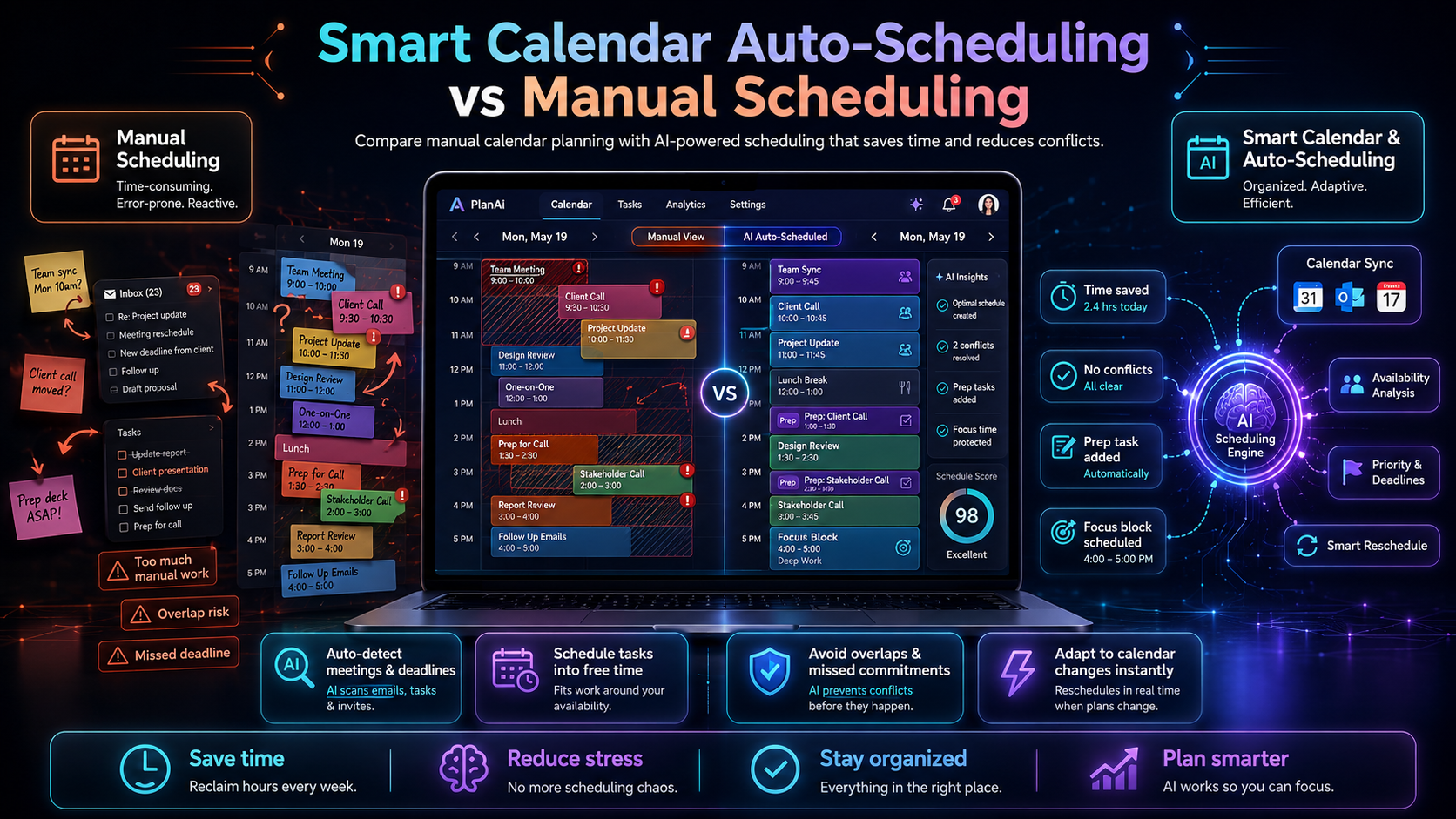
So, what’s the difference between manual scheduling and automated solutions? Manual scheduling involves manually inputting appointments and tasks, often leading to a cluttered calendar and missed deadlines. In contrast, automated solutions like Smart Calendar & Auto-Scheduling integrate seamlessly with your email and task management systems to automatically schedule your commitments based on your availability. This not only saves time but also reduces the chances of human error.
Table of Contents
Method 1: Understanding Smart Calendar & Auto-Scheduling
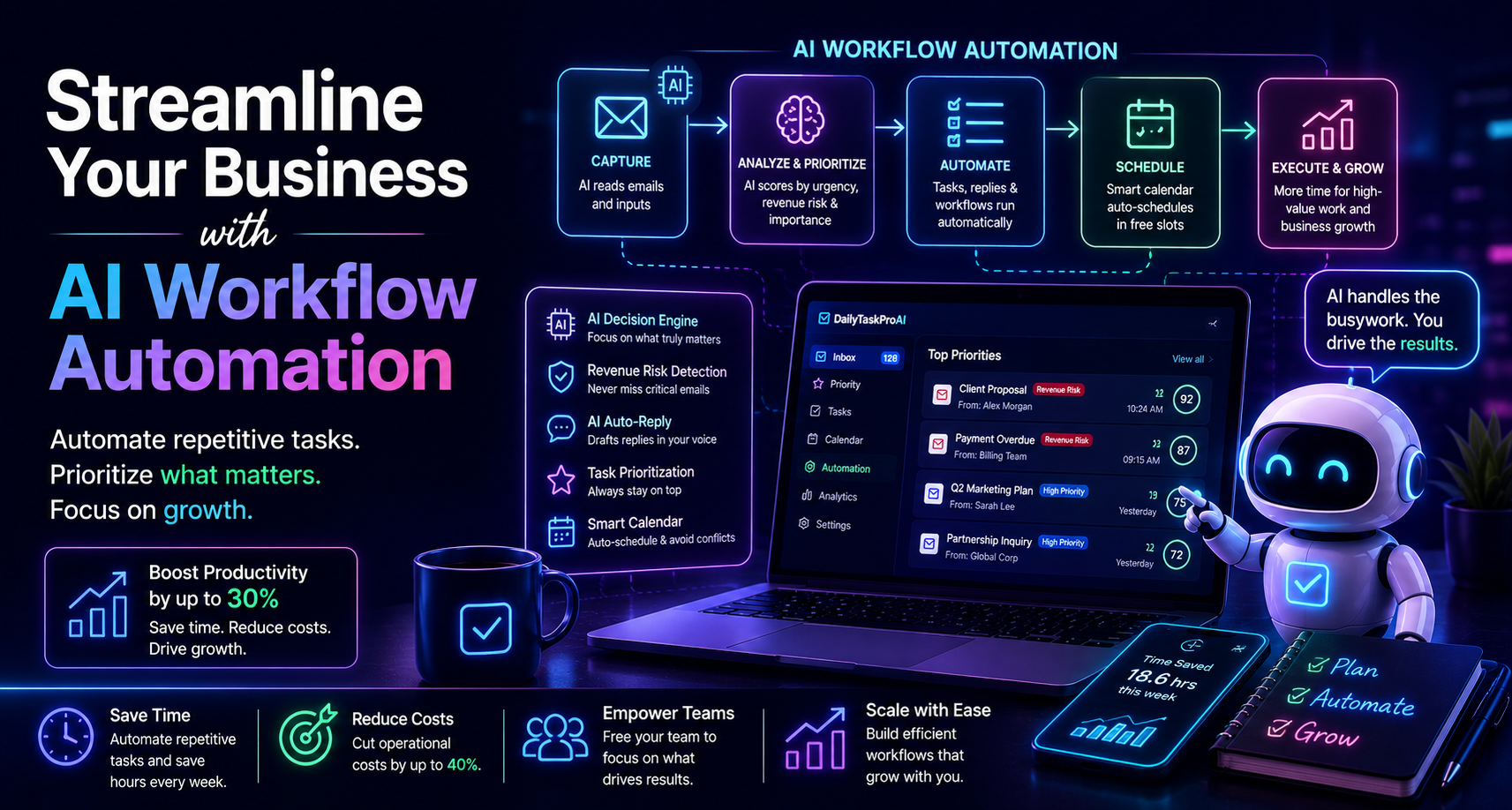
The Smart Calendar & Auto-Scheduling feature of DailyTaskProAI reads your emails, identifies meetings and deadlines, and checks your calendar availability to auto-schedule tasks into your working hours. It intelligently fills your calendar with tasks without overlapping your commitments. This means you’re not just managing your time; you’re optimizing it.
Imagine you’re a solo founder who juggles multiple client meetings, project deadlines, and team catch-ups. Instead of manually checking your calendar and emails to find free slots, you simply let DailyTaskProAI do the heavy lifting. You’ll receive an organized schedule that maximizes your productivity while ensuring you never double-book yourself.
Pros:
Time-saving through automation
Reduced risk of scheduling errors
Integrates with both Gmail and Outlook
Cons:
Initial learning curve
Dependence on technology
This method is best for busy professionals who manage multiple commitments and need reliable scheduling that adapts to their changing availability.
Method 2: The Drawbacks of Manual Scheduling
Manual scheduling often feels like a necessary evil, but it’s fraught with challenges. For starters, it requires constant attention and can be time-consuming. You may spend hours sorting through emails to find the right time for a meeting, only to realize you missed another deadline. Additionally, the possibility of human error looms large, leading to missed meetings or overlapping commitments.
Consider the case of a small team where the operations manager manually inputs all tasks and meetings into a shared calendar. This often results in confusion, with team members unsure if a slot is truly free. One manager might schedule a meeting without realizing that another team member has already blocked that time for a crucial task.
Pros:
Full control over the scheduling process
Personal touch in managing appointments
Cons:
Time-consuming
More prone to errors
Inconsistent availability updates
Manual scheduling might work for individuals with very few commitments, but as your schedule becomes more complex, you risk inefficiency and increased stress.
Method 3: Benefits of Smart Calendar & Auto-Scheduling
The Smart Calendar & Auto-Scheduling feature not only simplifies your scheduling but also enhances your overall productivity. This tool saves you time and improves organization by ensuring that all your appointments are accounted for and that tasks are scheduled into your calendar seamlessly.
For instance, let’s say you have a client meeting, a project deadline, and a team brainstorming session all in one day. With manual scheduling, you might struggle to fit everything into your calendar. However, with DailyTaskProAI’s Smart Calendar & Auto-Scheduling, the tool will automatically find the best time slots for all these commitments, factoring in your availability. You can focus on your work rather than your schedule.
Pros:
Saves hours that would otherwise be spent on manual scheduling
Reduces stress and confusion
Automatically adapts to changes in your schedule
Cons:
Requires initial setup and learning
May not account for personal preferences in scheduling
This method is ideal for busy professionals, small teams, and anyone who wants to maximize productivity without getting bogged down in the details of scheduling.
Method 4: Real-World Applications and Use Cases
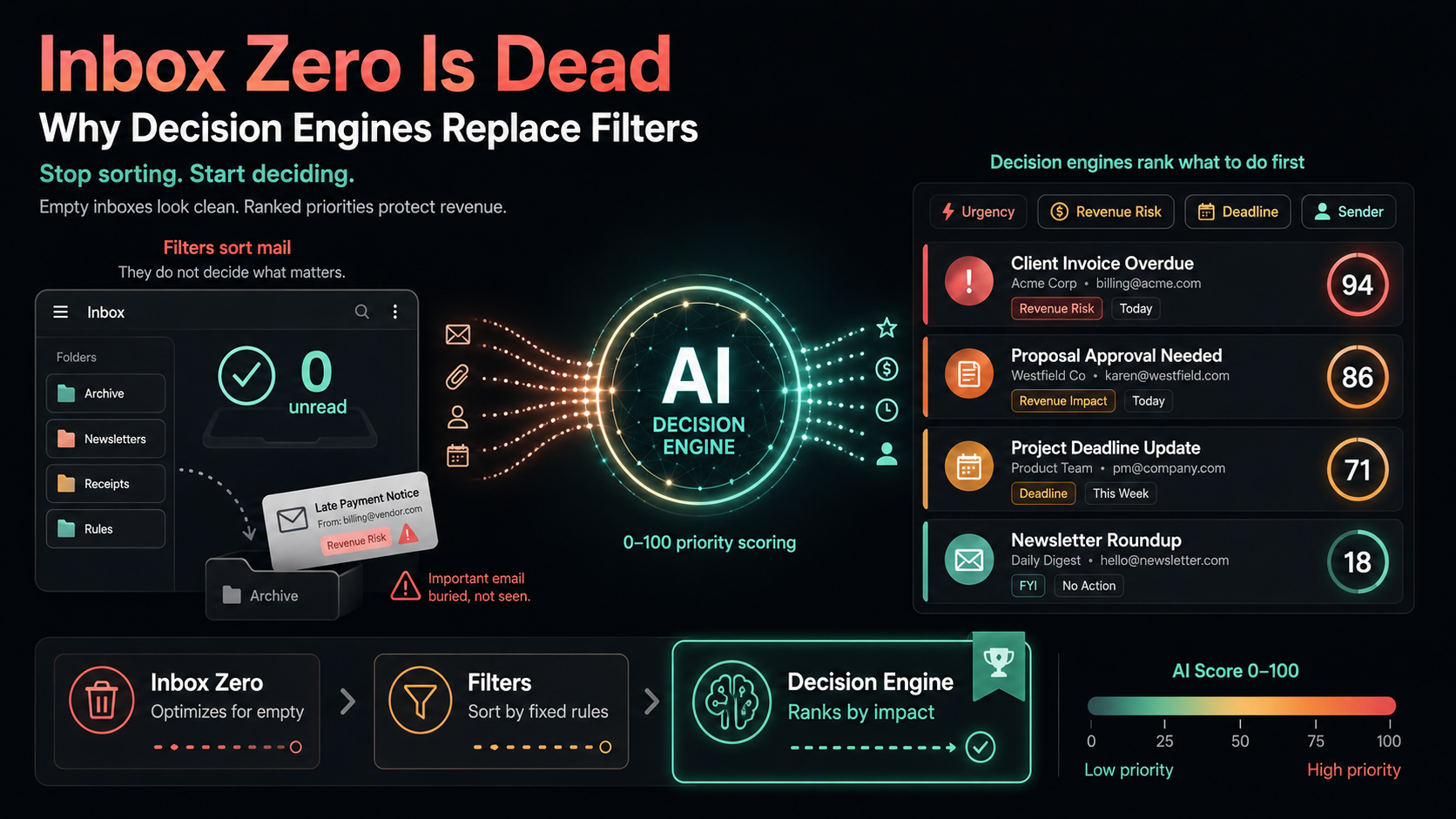
The real-world applications of Smart Calendar & Auto-Scheduling are extensive. For instance, a sales team can use this feature to coordinate client meetings without the back-and-forth of emails. When a sales representative receives an email from a potential client, the AI Decision Engine can score the email for urgency and importance. It can then suggest the best time for a meeting based on both the sales rep's and the client's availability.
Imagine you’re a project manager with multiple deadlines and team members to coordinate. Instead of manually scheduling each task, you can rely on DailyTaskProAI to detect deadlines from your emails and auto-schedule them into the calendar. The tool can also send reminders and prep tasks before meetings, ensuring everyone is on the same page.
Pros:
Streamlined communication within teams
Efficient management of deadlines and meetings
Improved task tracking and accountability
Cons:
Team members need to adapt to the new tool
Potential reliance on technology for scheduling
This method is perfect for teams looking to improve their workflow and for individuals who want to manage their time more effectively.
Comparing Efficiency: Manual vs Automated Scheduling
Scheduling Method Time Investment Error Rate Best For Manual Scheduling High High Individuals with few commitments Smart Calendar & Auto-Scheduling Low Low Busy professionals and teams
How to Choose the Right Method for You
Choosing between manual scheduling and automated solutions depends on your specific needs. If you’re a solo entrepreneur managing just a few meetings each week, manual scheduling might still work for you. However, if you're part of a small team or managing multiple clients and projects, the Smart Calendar & Auto-Scheduling feature of DailyTaskProAI is likely the better choice.
Consider your email volume, team size, and budget. For instance, if you operate in the Indian market and need to manage GST deadlines, DailyTaskProAI’s automated features can help you stay compliant while also scheduling your tasks efficiently. Check out our DailyTaskProAI pricing for options that fit your needs.
FAQs about Smart Calendar & Auto-Scheduling
What are the benefits of automated scheduling?
Automated scheduling saves time and reduces errors. It integrates with your existing email and task management systems to create a seamless scheduling experience. This means you can focus on your work rather than the minutiae of managing your calendar.
How does Smart Calendar & Auto-Scheduling work?
Smart Calendar & Auto-Scheduling reads your emails to detect meetings and deadlines, checks your calendar availability, and auto-schedules tasks into free slots during your working hours. This feature ensures that you never double-book yourself and maximizes your productivity.
Can I customize my availability with Smart Calendar & Auto-Scheduling?
Yes, you can define your working hours and preferred days. This allows the system to respect your availability while scheduling tasks and meetings. You can also set buffers between tasks to give yourself breathing room.
Is there a learning curve with the Smart Calendar & Auto-Scheduling feature?
While there is an initial setup involved, the user-friendly interface of DailyTaskProAI makes it easy to adapt. The benefits of automation quickly outweigh the short learning curve, especially for busy professionals.
Can I approve emails before they are sent using the AI Auto-Reply feature?
Absolutely. The AI Auto-Reply feature drafts contextual replies in your voice, but you always review and approve them before they are sent. This ensures that you maintain control over your communication.
Conclusion: Making the Switch to Automation
Transitioning to automated scheduling can significantly enhance your productivity and reduce the stress associated with managing a busy calendar. The Smart Calendar & Auto-Scheduling feature of DailyTaskProAI offers a streamlined solution that integrates email management and task prioritization. Revenue risk emails are NEVER auto-sent. You always approve.
If you're tired of the inefficiencies of manual scheduling, consider trying DailyTaskProAI. Start your free trial today and experience the benefits for yourself. Let automation handle the scheduling while you focus on what truly matters.