Most teams struggle to manage their email effectively, leading to missed opportunities and increased stress. If you find yourself drowning in a flooded inbox, it’s time to organize your inbox for maximum efficiency. For small teams and operations managers, this isn’t just a productivity hack; it’s a necessity.
Emails can pile up quickly, often leaving you unsure of what to tackle first. With the right strategies and tools, however, you can bring order to the chaos and ensure that important tasks receive the attention they deserve.
Table of contents
Understanding the Importance of Inbox Organization
When your inbox is disorganized, it’s easy to lose track of important emails. This can lead to missed deadlines, overlooked client communications, and a general sense of chaos. For small teams and operations managers, organizing your inbox directly impacts productivity. A cluttered inbox is not just a visual distraction; it can hinder decision-making and slow down workflows.
Imagine you’re a founder who needs to respond to a critical client inquiry while also keeping track of team updates. Without an organized inbox, you might overlook that crucial email buried under less important messages. By taking steps to organize your inbox, you can streamline your workflow and make more informed decisions quickly.
Email Triage Strategies for Small Teams
Email triage involves categorizing your emails to prioritize your responses effectively. This method helps you sort through emails based on urgency and importance, ensuring that you address critical tasks first. For small teams, this strategy can save time and reduce the stress associated with overflowing inboxes.
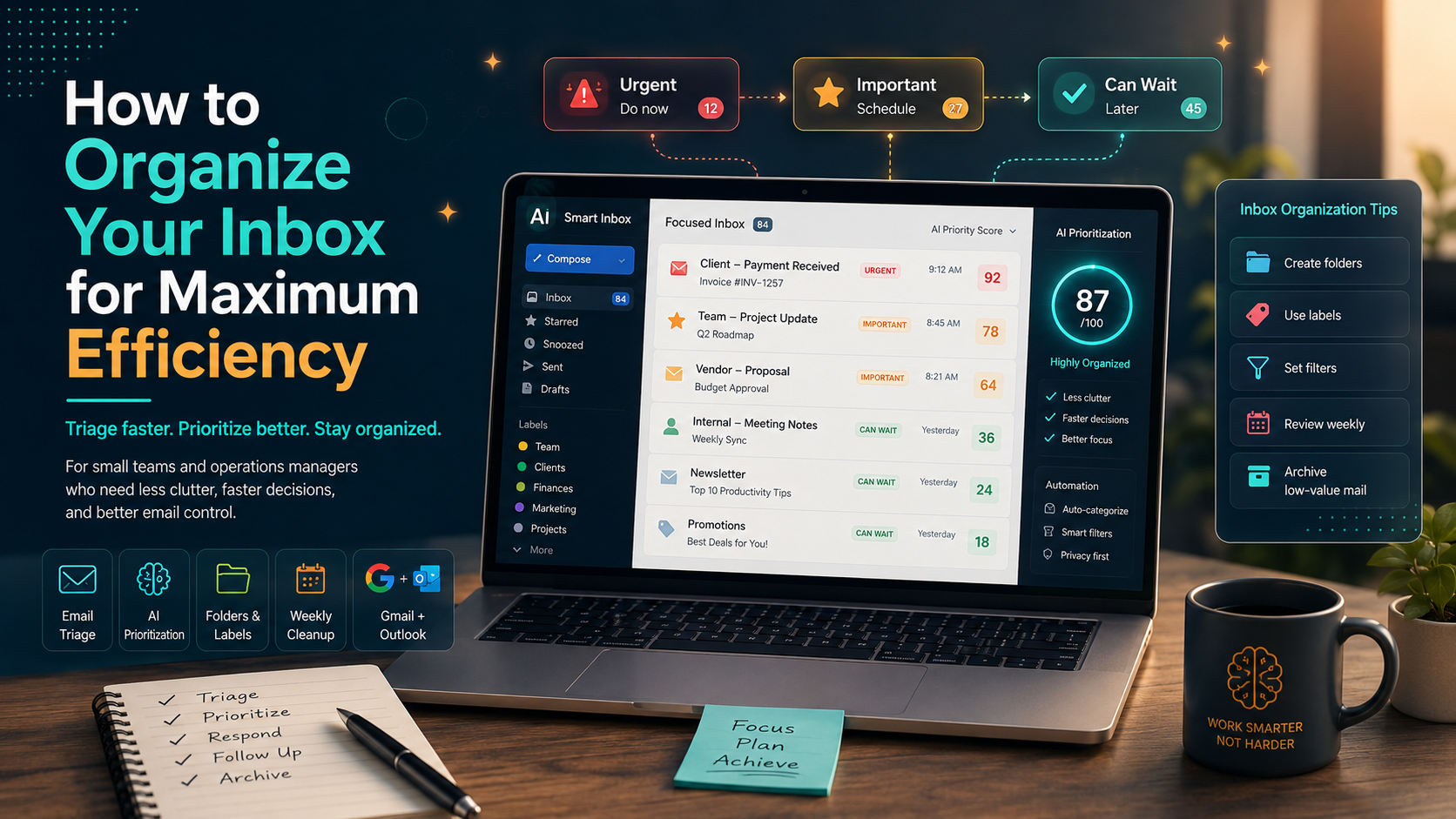
Here’s how email triage works: start by quickly scanning your inbox and flagging emails that require immediate attention. You can use simple categories like “urgent,” “important,” and “can wait.” Once you have your emails sorted, tackle them based on your categorization. For example, if a team member sends a request that needs a quick turnaround, prioritize that before responding to a less urgent client email.
Pros:
Improves focus by prioritizing tasks
Reduces the feeling of being overwhelmed
Facilitates better time management
Cons:
Can be time-consuming if not practiced regularly
Requires consistent effort to maintain
Email triage is best for teams that handle a high volume of emails daily and need a structured approach to manage their workloads. It encourages quicker decision-making and helps keep everyone on the same page.
Utilizing the AI Decision Engine for Email Prioritization
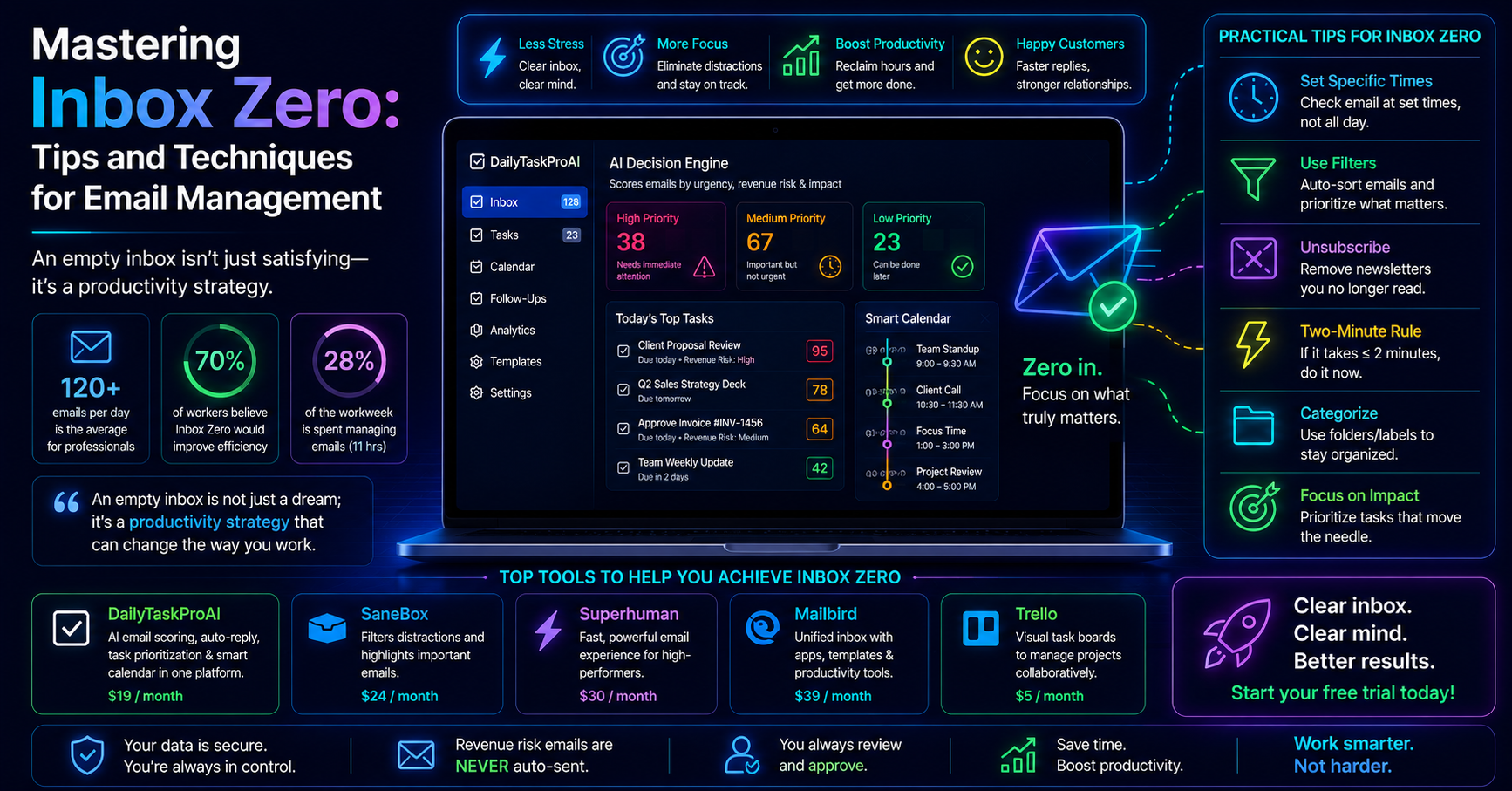
The AI Decision Engine in DailyTaskProAI is designed to score and rank your emails based on importance. This technology takes the guesswork out of email management, allowing you to focus on what truly matters. By scoring emails from 0 to 100, the AI Decision Engine helps you identify which emails require immediate attention and which can wait.
Consider a scenario where you receive a mix of client inquiries, internal updates, and marketing promotions. The AI Decision Engine analyzes these emails and assigns scores based on contextual importance and urgency. For example, a payment request from a client may score 95, while a newsletter could score 20. This ranking allows you to tackle the highest-scoring emails first, ensuring that you don’t miss critical communications.
Pros:
Efficiently prioritizes tasks based on relevance
Reduces decision fatigue regarding email responses
Integrates seamlessly with Gmail and Outlook
Cons:
May require some adjustment to trust AI recommendations
Initial setup may take some time
This tool is ideal for solo founders and small teams who deal with a high volume of emails and need a systematic way to prioritize their communications. By using the AI Decision Engine, you can ensure that nothing important slips through the cracks.
Practical Inbox Organization Tips
Beyond triage and AI tools, there are several practical tips you can implement to organize your inbox effectively. Here are some strategies that work well:
Create Folders: Organize emails by category, project, or sender. For instance, if you’re working on multiple client projects, create folders for each client to store relevant communications. This helps keep your inbox clean and allows for easier retrieval of information.
Use Labels: If you use Gmail, labels can be particularly useful. You can apply multiple labels to an email, allowing you to categorize it in more than one way. For example, a project update can be labeled under both “Client A” and “Urgent.”
Set Filters: Automate the organization process with filters that categorize incoming emails based on predefined rules. For instance, you can set a filter to automatically archive newsletters or promotional emails, keeping them out of your primary inbox.
Schedule Regular Cleanups: Dedicate time weekly to review and organize your inbox. During this time, delete unnecessary emails, categorize the important ones, and ensure that nothing is overlooked.
Implementing these tips can significantly enhance your ability to manage emails and maintain focus on your core responsibilities. Staying organized not only boosts your productivity but also reduces stress associated with email overload.
Email Management Tools to Consider
While organizing your inbox manually is beneficial, using dedicated email management tools can streamline the process further. Here’s a list of tools that can help enhance your email organization:
Tool Key Features Best For Pricing DailyTaskProAI AI Decision Engine, Auto-Reply, Revenue Risk Detection Small teams, sales teams Free trial, Pro at $19/mo Superhuman Speedy email management, powerful shortcuts Solo founders Starts at $30/mo Sanebox Automatically sorts emails, snooze options Busy professionals Starts at $7/mo Motion Task management with email integration Operations managers Starts at $29/mo Fyxer AI AI-driven email responses, scheduling Small to medium teams Starts at $19/mo
How to Choose the Right Tool for Your Inbox
Selecting the right email management tool largely depends on your specific needs. Consider your team size, the volume of emails you receive, and your budget. For instance, if you’re a solo founder inundated with emails, tools like Superhuman or DailyTaskProAI can help streamline your workflow efficiently.
On the other hand, if you manage a larger team, you may want a solution that integrates email management with task prioritization, like DailyTaskProAI. Moreover, if you operate in India, consider tools that offer features like GST email management to ensure compliance and organization.
Ultimately, assess the features that matter most to you, such as AI-powered prioritization and revenue risk detection, to make an informed choice.
FAQs on Inbox Organization
What is email triage and how does it help?
Email triage is the process of sorting and prioritizing emails based on their urgency and importance. This practice helps individuals focus on critical tasks first and manage their time more effectively. It reduces the feeling of being overwhelmed and allows for clearer decision-making regarding email responses.
How does DailyTaskProAI improve inbox organization?
DailyTaskProAI employs an AI Decision Engine that scores and ranks emails to help you prioritize your responses. This feature allows you to focus on the most important communications first, reducing the time spent deciding what to tackle next. Additionally, it includes revenue risk detection to flag critical emails, ensuring you never miss vital information.
Is achieving inbox zero realistic?
While achieving inbox zero is a commendable goal, it may not be practical for everyone. Instead of aiming for a completely empty inbox, focus on keeping your emails organized and manageable. Regular maintenance, such as categorizing and archiving old emails, can help you maintain control without striving for perfection.
Are there specific tools for Indian businesses?
Yes, there are tools like DailyTaskProAI that cater specifically to the Indian market, offering features such as GST email management. These capabilities help ensure compliance with local regulations while keeping your inbox organized. Consider tools that address your unique needs to maximize efficiency.
What are the best practices for maintaining an organized inbox?
To maintain an organized inbox, regularly categorize and prioritize your emails, set filters to automate organization, and schedule routine cleanups. Additionally, using tools like DailyTaskProAI can provide AI-driven insights to help you stay on top of important emails. Consistency is key to ensuring your inbox remains manageable over time.
Start Organizing Your Inbox Today
Organizing your inbox is not just about achieving a clean slate; it’s about enhancing your productivity and ensuring that critical tasks are managed effectively. With DailyTaskProAI, you can take advantage of features like the AI Decision Engine and revenue risk detection to streamline your email management process. Revenue risk emails are NEVER auto-sent. You always approve.
Don’t let an unorganized inbox hold you back. Start organizing your inbox today with DailyTaskProAI for improved productivity and focus.