Most professionals today are drowning in meetings. Studies show that the average worker spends about 23 hours per week in meetings, accounting for nearly 60% of their work time. This staggering figure raises an important question: how do you manage meeting overload effectively? The answer lies in evaluating the necessity of meetings, prioritizing them wisely, and using technology to streamline the process.
Many teams struggle with back-to-back meetings that leave little room for focused work or breaks. In fact, surveys indicate that 71% of employees feel that meetings are unproductive and waste their time. With 47% of meeting time considered unnecessary, U.S. businesses face an estimated loss of $37 billion annually due to inefficient meetings. So, how can you reclaim your time and boost productivity?
Table of contents
Understanding Meeting Overload
Meeting overload occurs when teams find themselves in an excessive number of meetings that disrupt focus and productivity. The causes can vary from a lack of clear agendas to poor scheduling practices. Symptoms include constant interruptions, fatigue, and a backlog of tasks due to insufficient time for completing them.
For instance, imagine a sales team that has scheduled daily catch-ups, client calls, and strategy sessions. Each meeting might seem necessary, but collectively they consume a significant amount of time that could be better spent on actual sales activities. As a result, even the most engaged employees may feel overwhelmed, leading to a decrease in overall productivity.
Understanding the impact of meeting overload is crucial. Studies suggest that teams that implement effective meeting strategies report a 25% increase in productivity and a 30% reduction in meeting frequency. The need for structured approaches to meetings has never been more pressing.
Assessing the Need for Meetings
Before scheduling a meeting, assess whether it is truly necessary. One effective strategy is to establish a clear objective, such as making a decision, brainstorming ideas, or providing updates. If the purpose of the meeting isn't well-defined, consider alternatives like emails or collaborative tools that can facilitate communication without the need for a formal gathering.
For example, a project manager might consider whether a weekly meeting is required to discuss project updates or if a shared document might suffice. By evaluating the need for a meeting, teams can significantly reduce their frequency and duration.
Experts recommend adopting asynchronous communication where possible. A survey found that 65% of employees prefer this method to improve efficiency. It allows for thoughtful responses and reduces the pressure of real-time discussions.
Meeting Prioritization Techniques
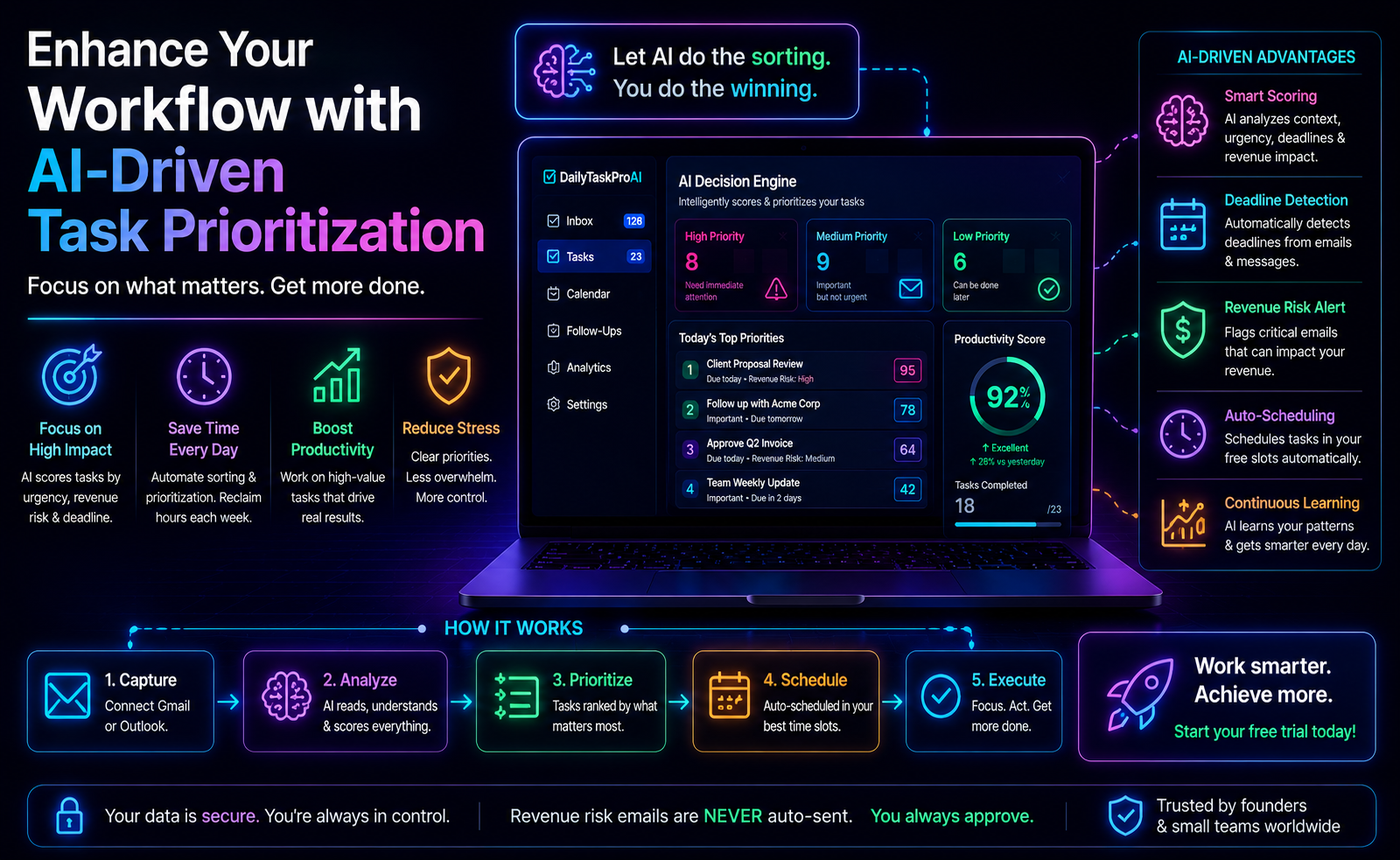
Once you've determined that a meeting is necessary, it's time to prioritize it based on urgency and importance. Here, the AI Decision Engine can be particularly useful. This tool analyzes your email inbox, scoring requests for meetings based on factors such as revenue risk, urgency, and the sender's importance.
Consider a scenario where you receive multiple meeting requests in one day. By utilizing the AI Decision Engine, you can quickly assess which meetings demand your immediate attention based on their scores. For instance, a meeting request from a key client discussing a pending deal would likely score higher than a catch-up with a colleague about a project update.
Pros:
Enhances decision-making by providing clear priorities.
Saves time by focusing on high-impact meetings.
Reduces the stress of managing multiple requests.
Cons:
Initial setup may require time and effort.
Dependency on technology may lead to neglecting personal judgment.
This approach is best for teams that experience a high volume of meetings and need to make quick decisions on which meetings to attend.
Efficient Scheduling Practices
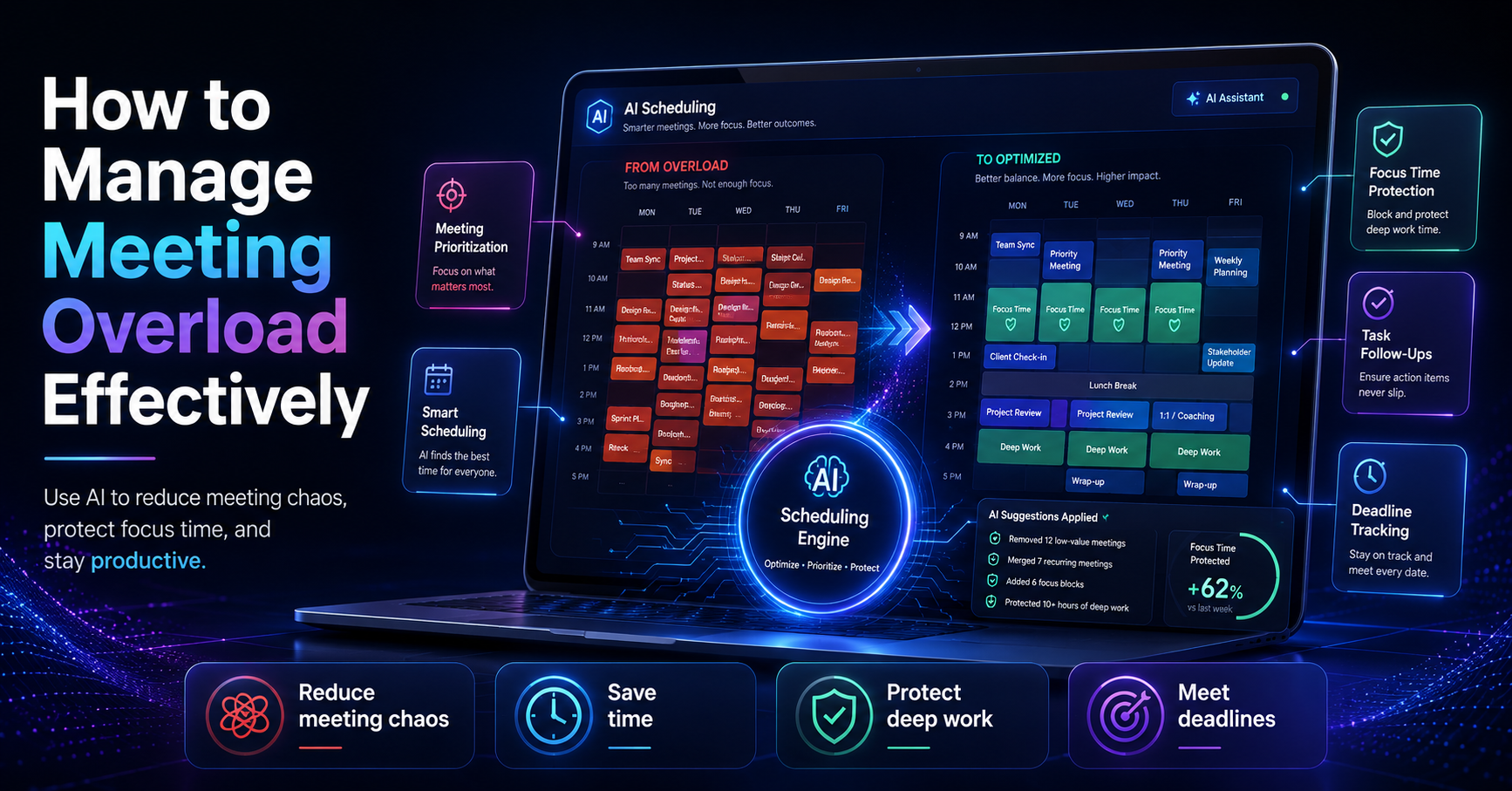
Efficient scheduling is vital to managing meeting overload. One effective method is time blocking, where you allocate specific periods in your calendar for meetings and focused work. This practice ensures that you have uninterrupted time for critical tasks.
Additionally, setting a clear agenda for each meeting can significantly improve its effectiveness. An agenda outlines the topics to be discussed and the goals to be achieved, keeping the meeting focused and on track. This practice minimizes aimless discussions and helps participants prepare in advance.
DailyTaskProAI's Smart Calendar & Auto-Scheduling feature can simplify this process. It reads your emails, detects meetings and deadlines, checks calendar availability, and auto-schedules tasks into free slots within your working hours. With this feature, you can avoid conflicts and ensure that your time is managed efficiently.
For example, if you have a meeting scheduled with a client and a deadline approaching for a project, DailyTaskProAI can help you find the best time to fit both into your calendar without overlaps.
Pros:
Streamlines scheduling and reduces conflicts.
Allows for better time management and planning.
Improves productivity by maximizing available time.
Cons:
May require adjustment to new scheduling habits.
Relying on technology could lead to overscheduling if not monitored.
These practices are ideal for teams operating in a dynamic environment where scheduling flexibility is essential to accommodate various tasks and meetings.
Implementing Time Management Strategies
In addition to prioritizing and scheduling meetings, adopting effective time management strategies can further alleviate meeting overload. Techniques such as the Pomodoro Technique, where you work in focused intervals followed by breaks, can enhance concentration and productivity.
Imagine a scenario where an employee is crammed with meetings throughout the day. By implementing the Pomodoro Technique, they could allocate 25-minute focused work sessions between meetings, allowing them to complete tasks without distraction.
“Time management is not about finding more time; it's about making better use of the time you have.”, Unknown
Additionally, consider implementing 'meeting-free' days. By designating specific days where no meetings occur, teams can focus on deep work, leading to a significant boost in productivity. Research indicates that organizations that adopt this practice see measurable improvements in employee satisfaction and output.
Pros:
Enhances focus and minimizes distractions.
Encourages a culture of productivity within the team.
Provides time for strategic thinking and planning.
Cons:
Requires team buy-in and commitment.
May lead to missed communication opportunities if not carefully managed.
These strategies are particularly beneficial for teams that struggle with maintaining focus amidst continuous meetings.
Utilizing Task Management Tools
Task management tools play a crucial role in organizing meeting agendas and follow-ups. Various tools exist to streamline meeting organization, such as Trello or Asana, but DailyTaskProAI stands out by combining email management, task prioritization, and calendar scheduling.
With DailyTaskProAI, you can automatically assign emails or tasks to team members, track progress with a Kanban pipeline, and manage meetings more effectively. For instance, after a meeting, you can create follow-up tasks directly from the meeting notes, ensuring that action items are not overlooked.
This integrated approach not only helps in organizing tasks but also connects them back to the relevant meetings, improving accountability and clarity.
Pros:
Centralizes task management and meeting organization.
Enhances accountability through task delegation.
Improves visibility of team progress on projects.
Cons:
May require a learning curve for new users.
Dependency on the tool could lead to inefficiencies if not used properly.
This tool is especially useful for teams that need a comprehensive solution for managing both tasks and meetings. The combination of features in DailyTaskProAI allows for seamless integration and improved productivity.
Improving Team Productivity During Meetings
To ensure that meetings are productive and engaging, it’s essential to establish guidelines that promote effective participation. Start by encouraging all participants to come prepared with relevant information and questions. This preparation can help steer the conversation in a meaningful direction.
Moreover, consider implementing time limits for each agenda item. For example, if a meeting is scheduled for one hour, allocate specific time slots for each topic. This practice keeps discussions on track and prevents any single topic from consuming the entire meeting.
Utilizing visual aids, such as slides or charts, can also enhance engagement. For instance, presenting data visually can help attendees grasp complex concepts more easily and maintain interest throughout the meeting.
Pros:
Encourages active participation and engagement.
Reduces aimless discussions and keeps meetings focused.
Promotes efficient use of time during meetings.
Cons:
Requires discipline and commitment from all participants.
May not be effective if participants are not engaged in the process.
These productivity tips are best suited for teams that frequently hold meetings and need to ensure that every gathering counts towards achieving their objectives.
FAQ: Managing Meeting Overload
How can I reduce the number of meetings my team has?
Start by evaluating the necessity of each meeting and consider alternatives like emails or collaborative tools. Implementing 'meeting-free' days can also help reduce the frequency of meetings while promoting focused work.
What are effective scheduling strategies?
Effective scheduling strategies include time blocking, where you allocate specific times for meetings and focused work. Additionally, using tools like DailyTaskProAI's Smart Calendar & Auto-Scheduling feature can help you schedule meetings around your availability efficiently.
What tools can help manage meetings effectively?
Task management tools such as DailyTaskProAI can streamline meeting organization and follow-ups. Other tools like Trello or Asana can also support task tracking and accountability, but DailyTaskProAI integrates email management, task prioritization, and calendar scheduling in one platform.
How can I keep meetings productive?
To keep meetings productive, set clear agendas, encourage preparation among participants, and implement time limits for each agenda item. Using visual aids can also enhance engagement and understanding during discussions.
What should I do if a meeting is unproductive?
If a meeting proves to be unproductive, assess the agenda and consider whether it could have been handled through email or another method. Afterward, gather feedback from participants to identify areas for improvement in future meetings.
Start Managing Your Meeting Overload Today with DailyTaskProAI
Meeting overload is a significant challenge for many teams, but it doesn't have to be a permanent state. By implementing the strategies outlined above and leveraging tools like DailyTaskProAI, you can regain control of your schedule and improve productivity. With features like the AI Decision Engine to prioritize your tasks and the Smart Calendar & Auto-Scheduling to manage your time effectively, you can transform your approach to meetings. Remember, revenue risk emails are NEVER auto-sent. You always approve.
Take the first step towards managing your meeting overload and enhancing your productivity with DailyTaskProAI. Sign up today and see the difference it can make in your daily workflow.
Resources & Further Reading
External Resources
How to Have a Good Meeting, Insights from Harvard Business Review on effective meeting strategies.
The Future of Work, McKinsey explores how work is evolving and the role of meetings.
Meetings Time Wasted, Statista presents data on time lost in meetings.
Related from DailyTaskProAI
How DailyTaskProAI Works, Understand the AI Decision Engine and its benefits.
View DailyTaskProAI Pricing, Explore our pricing plans that suit your needs.
Read More on Our Blog, Discover more insights and tips on productivity and email management.