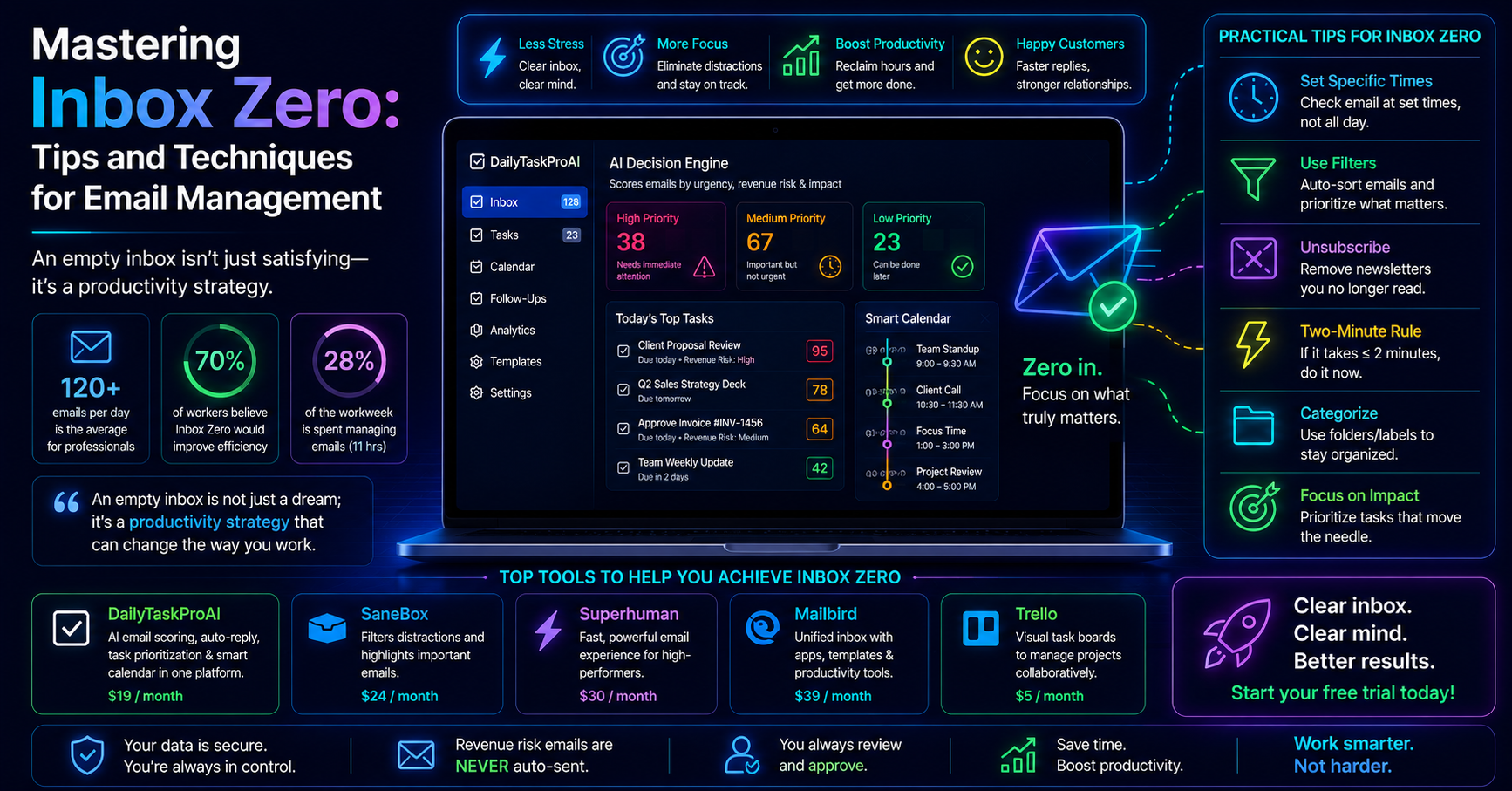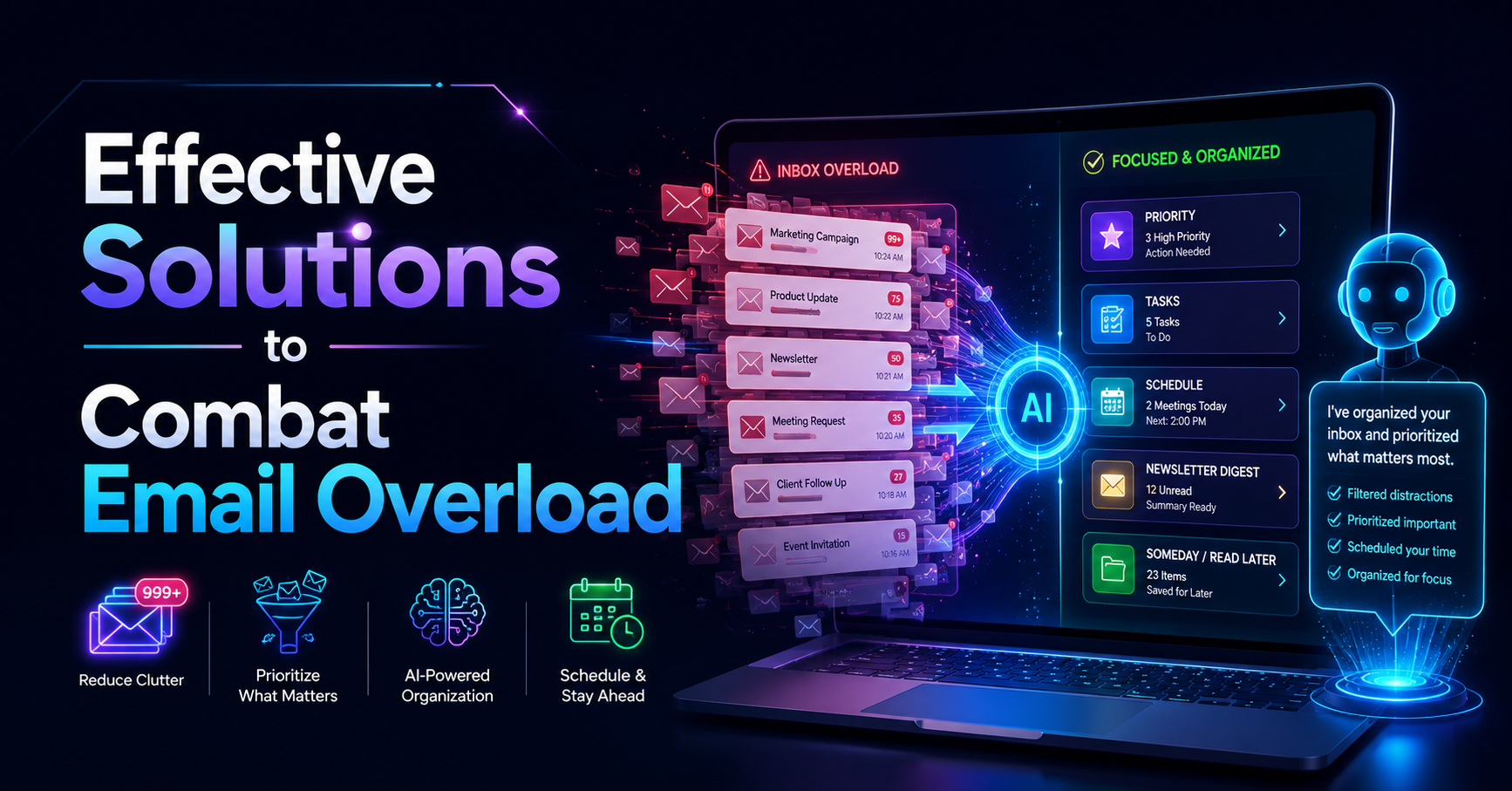
Most professionals face an overwhelming challenge: email overload. With employees spending an average of 28% of their workweek managing email, it’s no surprise that 70% report feeling overwhelmed by the sheer volume of messages. As over 300 billion emails are sent and received daily worldwide, this problem is projected to increase by 4% annually. Without effective email overload solutions, businesses risk losing millions in productivity each year.
Emails can pile up quickly, making it difficult to prioritize urgent tasks or keep track of critical deadlines and meetings. This constant barrage of messages not only distracts from meaningful work but also contributes to increased stress levels. The reality is that managing emails efficiently is no longer just a preference; it’s a necessity for maintaining productivity in today’s fast-paced work environment.
Table of contents
Method 1: Understanding Email Overload
Email overload refers to the overwhelming influx of emails that can lead to reduced productivity and increased stress. As more employees work remotely, the volume of emails continues to rise. This growing challenge demands effective strategies to manage inboxes efficiently.
Consider a project manager who receives dozens of emails daily, many of which are not urgent. Amidst the noise, important messages can easily get lost. If this manager spends 23 minutes refocusing after each email check, they lose over a quarter of their workweek to email management.
Pros: Clear understanding of the problem, can lead to better email management strategies.
Cons: Identifying the problem is just the first step; requires action to resolve.
This approach is best for individuals or teams struggling to cope with an influx of emails and looking to implement effective solutions.
Method 2: The Importance of Email Management Tools
Email management tools provide a structured way to handle the chaos of incoming messages. These tools can help streamline communication, reduce clutter, and prioritize tasks effectively. They read emails, analyze their importance, and suggest actions based on that analysis.
For instance, a sales team using DailyTaskProAI can benefit from the AI Decision Engine, which scores emails based on urgency and revenue risk. This means that important emails are highlighted, allowing team members to focus on what truly matters.
Pros: Enhanced organization, improved focus, and reduced anxiety.
Cons: Learning curve for new tools, potential over-reliance on technology.
Email management tools are ideal for busy professionals and teams needing a systematic approach to handle their inboxes, especially those in sales or operations.
Method 3: Task Prioritization Software: A Game Changer
Task prioritization software helps users focus on critical tasks by organizing them based on urgency and importance. Such software can analyze incoming emails and suggest which tasks to tackle first, greatly reducing stress levels.
Imagine an operations manager receiving multiple emails regarding project deadlines. With a task prioritization tool integrated into their email system, they can see which tasks are overdue and which require immediate attention, allowing them to allocate their time more effectively.
Pros: Streamlined task management, improved focus on high-priority tasks.
Cons: May require integration with existing workflows, potential for information overload.
This method is particularly beneficial for professionals managing multiple projects or teams, where prioritizing tasks is essential for success.
Method 4: Smart Calendar & Auto-Scheduling Solutions
Smart Calendar & Auto-Scheduling solutions integrate with email management tools to optimize time management. By reading emails, detecting meetings, and checking calendar availability, these tools can automatically schedule tasks into free slots within working hours, minimizing conflicts.
For example, a small business owner can use DailyTaskProAI's calendar scheduling to set aside time for critical tasks without having to manually check their calendar. If a meeting overlaps with a scheduled task, the system will suggest the next available slot to reschedule.
Pros: Saves time, reduces scheduling conflicts, optimizes productivity.
Cons: Initial setup may be time-consuming, reliance on technology for scheduling.
This solution is perfect for busy professionals and teams needing to manage their time effectively, particularly in dynamic work environments.
Method 5: The Role of AI Email Assistants
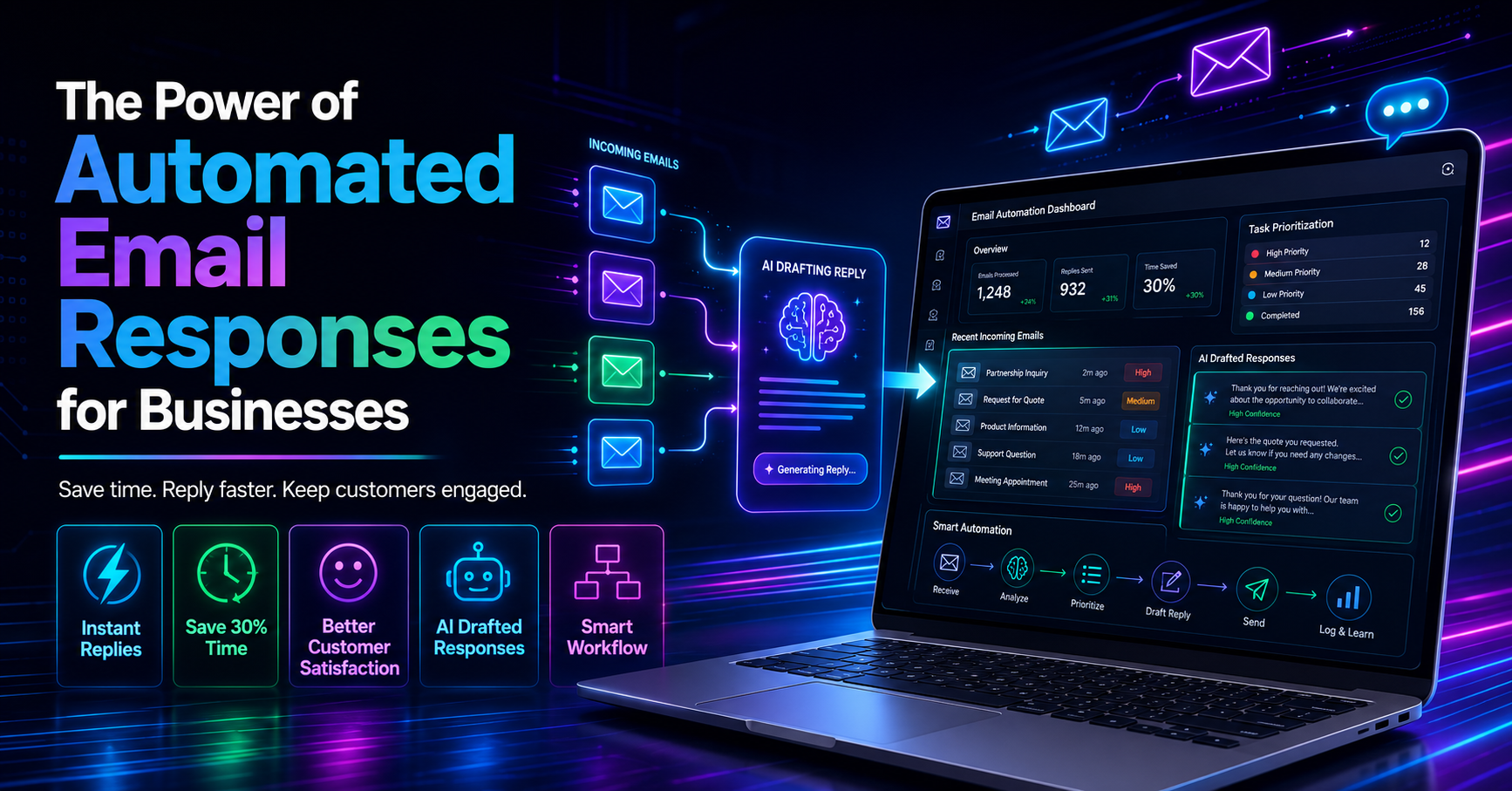
AI email assistants automate responses and organize emails, transforming how individuals manage their inboxes. By drafting contextual replies in the user's voice, these assistants enhance productivity while ensuring that the user maintains control over communications.
Consider a sales executive who receives numerous inquiries daily. An AI email assistant can draft responses based on previous interactions, allowing the executive to respond quickly without compromising on tone or quality. This not only saves time but also improves customer satisfaction.
Pros: Increased efficiency, consistent communication style, reduced response times.
Cons: Requires user oversight to ensure accuracy, may not handle complex queries well.
This method is best suited for professionals who handle a high volume of emails and require assistance in managing their communications efficiently.
Method 6: Effective Email Organization Strategies
Organizing emails effectively is crucial for combating email overload. Strategies such as using folders, labels, and filters can help declutter inboxes and ensure that important messages are easily accessible.
A marketing manager could set up filters to automatically sort emails from certain clients or projects into designated folders. This allows them to focus on the most relevant communications without sifting through unrelated messages. Additionally, creating labels for priority levels can help them quickly identify urgent emails.
Pros: Enhanced organization, improved efficiency in finding important emails.
Cons: Requires consistent maintenance, may be overwhelming to set up initially.
This approach is ideal for anyone looking to take control of their inbox and create a more organized workspace.
Method 7: Productivity Tools for Teams
Productivity tools that enhance team communication and collaboration can significantly reduce email overload. These tools integrate various functions such as task management, calendar scheduling, and instant messaging, eliminating the need for excessive email exchanges.
A small team using a project management tool alongside DailyTaskProAI can streamline communication, allowing members to share updates and assign tasks without resorting to email. This not only saves time but also fosters a more collaborative environment.
Pros: Improved collaboration, reduced email volume, enhanced project tracking.
Cons: Possible confusion if team members are not accustomed to new systems, requires training.
How to Choose the Right Solution
Choosing the right email overload solution depends on several factors, including your team size, email volume, budget, and specific needs (such as GST compliance for Indian businesses). Here’s how to approach the decision:
Assess Your Email Volume: Determine how many emails you and your team receive daily. High-volume users will benefit more from AI-driven tools.
Consider Your Team Size: Smaller teams may find simpler tools sufficient, while larger teams may need more robust solutions with advanced features.
Set a Budget: Evaluate your budget against the features offered by each tool. DailyTaskProAI offers a comprehensive set of features at competitive pricing.
Identify Integration Needs: Ensure the tools you choose can integrate with your existing systems, such as Gmail or Outlook.
Evaluate Specific Needs: For businesses in India, consider a tool that can manage GST-related emails and deadlines effectively.
FAQs on Managing Email Overload
What are the best strategies for managing email overload?
Effective strategies include setting strict email check times, using filters to organize emails, and adopting tools that prioritize important messages. Implementing a systematic approach to email management can significantly reduce overwhelm.
How can I improve my email organization?
Improving email organization involves creating folders, using labels and filters, and regularly archiving old emails. Establishing a consistent system will make it easier to locate important messages quickly.
Are AI email assistants worth it?
Yes, AI email assistants can save time and improve response quality by drafting replies and organizing emails efficiently. However, users should always review automated responses to ensure accuracy.
How can I reduce the time spent on emails?
To reduce time spent on emails, consider using tools that automate responses and prioritize messages. Setting aside specific times for checking emails rather than constantly monitoring your inbox can also help.
What features should I look for in an email management tool?
Look for features such as task prioritization, smart calendar integration, and AI-driven email analysis. Tools like DailyTaskProAI combine these functionalities to streamline management and enhance productivity.
Start Managing Your Email Overload Today with DailyTaskProAI
DailyTaskProAI offers comprehensive email overload solutions that can help you regain control over your inbox. With features like the AI Decision Engine, which scores emails based on urgency and importance, and Smart Calendar & Auto-Scheduling that optimizes your time management, you can reduce email-related stress and improve productivity. Revenue risk emails are NEVER auto-sent. You always approve. Start managing your email overload today with DailyTaskProAI.
Resources & Further Reading
External Resources
The Hidden Costs of Email Overload, An analysis of how email overload affects productivity.
The Productivity Imperative, Insights into productivity challenges in the workplace.
How AI Technology is Reducing Email Overload, A look at how AI is transforming email management.
Related from DailyTaskProAI
How DailyTaskProAI Works, Discover the features that make email management easier.
View Pricing Plans, Explore our competitive pricing options.
Read More on Our Blog, Find insights and tips to enhance your productivity.