Most professionals struggle with calendar overload. You might find yourself buried under a mountain of tasks, meetings, and deadlines, feeling like you’re constantly playing catch-up. Calendar Auto-Scheduling can be the key to breaking free from this cycle, ensuring you stay organized while focusing on what truly matters.
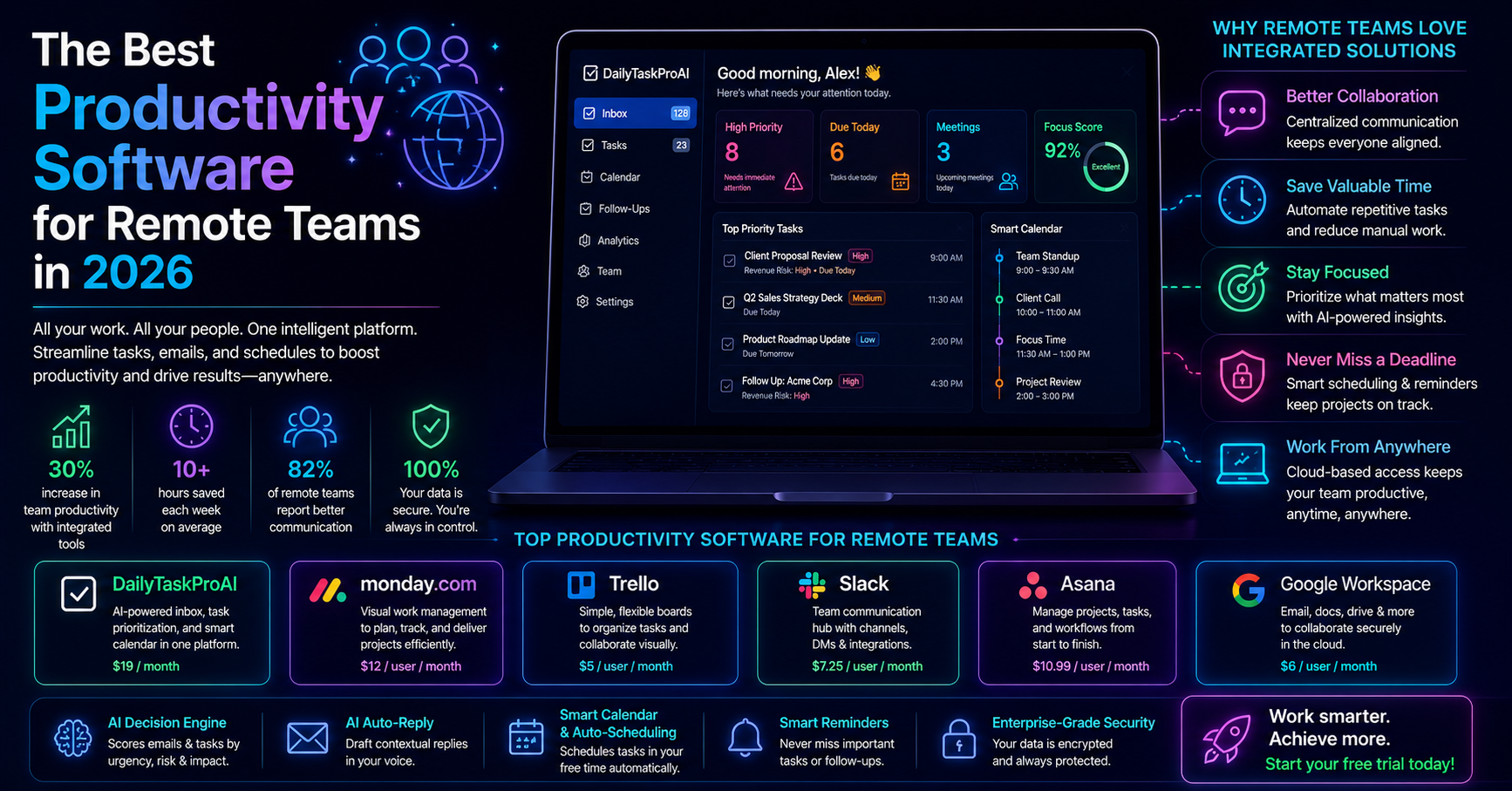
Using an intelligent system that reads your emails, detects meetings, and auto-schedules tasks around your availability can drastically streamline your daily workflow. With DailyTaskProAI's Smart Calendar & Auto-Scheduling, you can reclaim your time and ensure nothing falls through the cracks.
Table of contents
Understanding Calendar Auto-Scheduling
Calendar Auto-Scheduling is a feature designed to help you manage your time more efficiently by integrating email management with task organization. Imagine receiving an important email that requires immediate attention, coupled with a deadline for a project looming ahead. Smart Calendar & Auto-Scheduling analyzes your inbox, identifies these tasks, and schedules them around your existing commitments.
This seamless integration ensures that you never miss a deadline or an important meeting. By prioritizing and organizing your tasks based on urgency and availability, you can approach your workday with clarity and focus.
How Smart Calendar & Auto-Scheduling Works
The Smart Calendar & Auto-Scheduling feature operates by reading your emails and detecting key information such as meetings, deadlines, and important tasks. Here’s how it works:
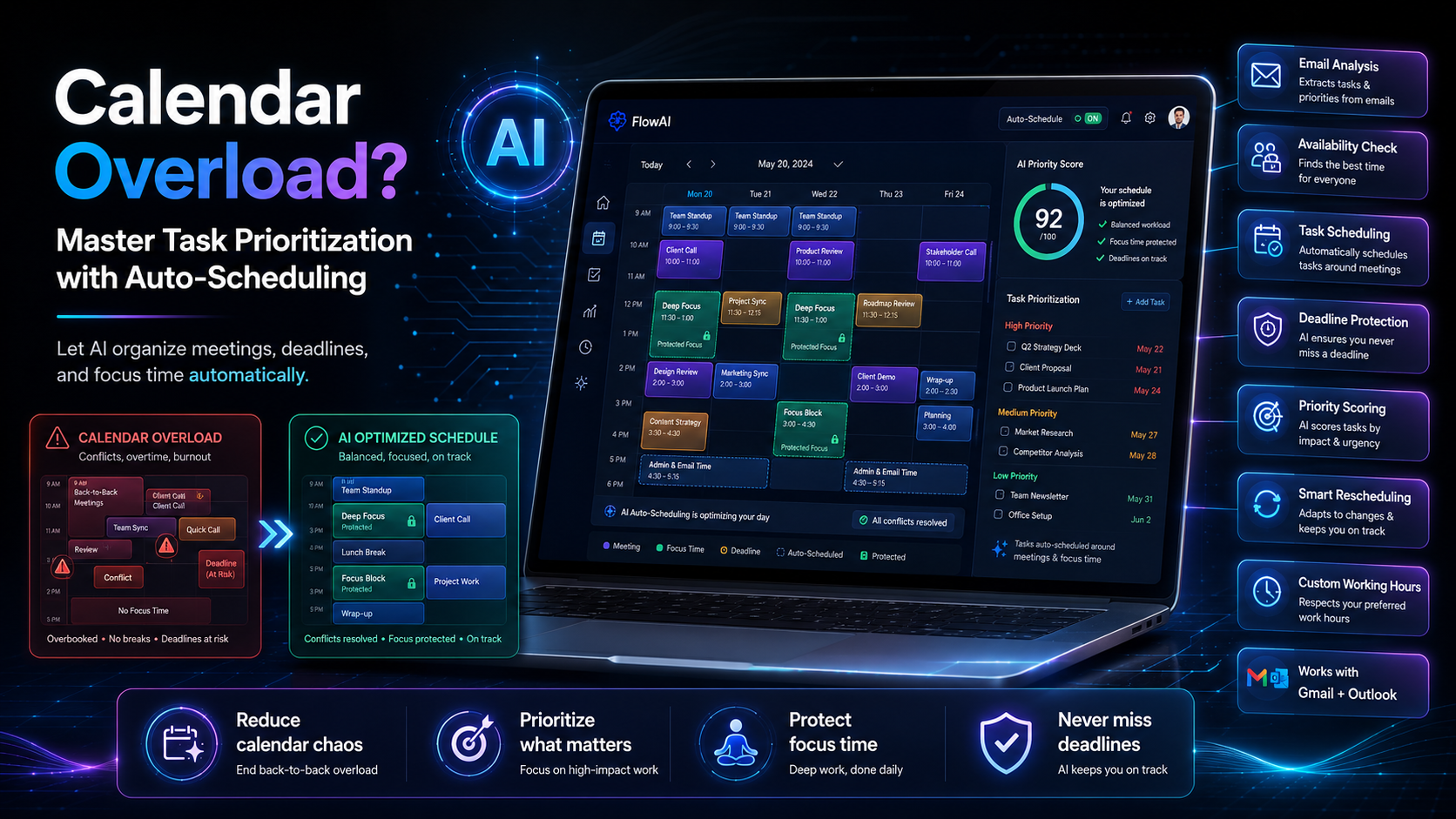
Email Analysis: The AI scans your inbox for relevant emails that require action. It looks for items with deadlines, urgent tasks, and any communication from important contacts.
Availability Check: It checks your calendar to see when you are free. Based on your defined working hours, it identifies open time slots for scheduling.
Task Scheduling: The system auto-schedules tasks into those free slots, ensuring that you can manage your workload without conflicts. It even reschedules tasks when new appointments arise.
For example, if you receive an email requesting a project update due by the end of the week, the Smart Calendar & Auto-Scheduling feature will not only flag this as a priority task but also find a suitable time in your calendar to allocate time for it.
Benefits of Calendar Auto-Scheduling for Busy Professionals
Calendar Auto-Scheduling is particularly beneficial for busy professionals. Here are some advantages:
Improved Productivity: By auto-scheduling tasks, you free up mental space to focus on executing tasks rather than organizing them.
Reduced Stress: Knowing that your tasks are scheduled and deadlines are managed can significantly lower anxiety levels.
Better Time Management: You can easily visualize your workload and adjust your plans as needed to meet deadlines.
“The secret to getting ahead is getting started.” – Mark Twain
This feature is ideal if you often find yourself overwhelmed by a packed schedule. By trusting DailyTaskProAI to manage your calendar, you can concentrate on completing tasks rather than worrying about when to fit them in.
Task Prioritization Made Easy
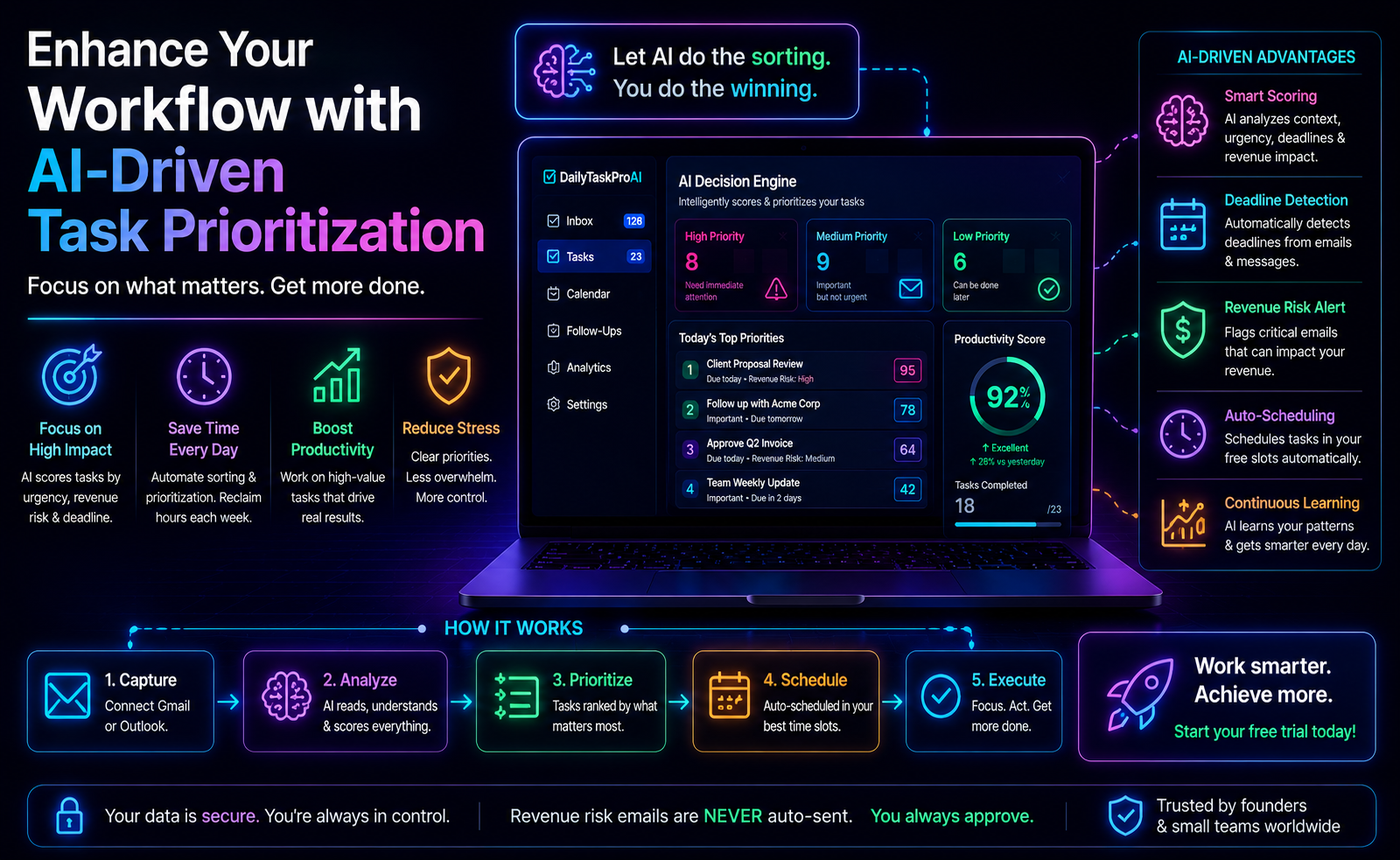
Effective task prioritization is crucial for productivity, and the AI Decision Engine makes this process straightforward. It scores tasks and emails based on revenue risk, urgency, deadline, and sender, providing a clear hierarchy of what needs your attention first.
For instance, an email from a top client regarding a payment might score higher than a routine update from a team member. This means you tackle the most critical tasks first, ensuring that high-impact work is prioritized. The scoring system allows you to make quick decisions about where to focus your efforts.
Pros:
Quick decision-making
Clear prioritization of tasks
Focus on high-impact activities
Cons:
Requires initial setup and learning
May miss nuances in some emails
This feature is best for those who often juggle multiple responsibilities, as it helps clarify what needs immediate attention.
Managing Deadlines with Smart Scheduling
Deadlines can be overwhelming, but with Smart Calendar & Auto-Scheduling, you’ll never lose track of them. The system identifies deadlines in your emails and automatically schedules time to work on tasks associated with those deadlines.
For example, if an email indicates that a report is due next Friday, the Smart Calendar will allocate time for you to work on that report based on your availability. If it detects a conflict, it will suggest the next available slot, ensuring you have enough time to complete the task without rushing.
This proactive approach to deadline management ensures that you stay on track and can allocate your time effectively.
Customizing Your Working Hours
DailyTaskProAI allows you to define your working hours, which plays a critical role in how tasks are auto-scheduled. You can set your start and end times, as well as define working days and buffer times between tasks.
For instance, if you prefer not to schedule meetings before 10 AM, you can set this preference within the tool. This customization enables the Smart Calendar & Auto-Scheduling to respect your boundaries while optimizing your schedule.
This feature is particularly useful for those who need a structured approach to their workday, helping you maintain a healthy work-life balance.
Is Auto-Scheduling Suitable for Small Teams?
Small teams can greatly benefit from Calendar Auto-Scheduling, particularly when it comes to managing shared tasks and deadlines. The ability to auto-schedule tasks helps teams coordinate effectively, ensuring that everyone is on the same page.
For example, consider a small sales team that needs to track follow-ups with clients. With DailyTaskProAI, team members can assign tasks to each other and see when everyone is available for meetings. The shared visibility ensures that no one is overloaded while others may have free time.
This feature is ideal for teams of 1 to 25 people aiming to enhance collaboration and efficiency.
FAQs About Calendar Auto-Scheduling
1. How does Calendar Auto-Scheduling work?
Calendar Auto-Scheduling analyzes your emails to identify tasks and deadlines, checks your calendar for availability, and then schedules those tasks into your free time slots. It handles conflicts by suggesting alternative times for tasks that overlap with existing commitments.
2. What are the benefits of using Calendar Auto-Scheduling?
The primary benefits include improved productivity, reduced stress levels, and enhanced time management. By automating the scheduling of tasks, you can focus on completing them rather than worrying about when and how to fit them into your day.
3. Can I customize my working hours for auto-scheduling?
Yes, DailyTaskProAI allows you to define your working hours, including start and end times as well as specific working days. This ensures that the auto-scheduling respects your preferences and maintains a healthy work-life balance.
4. Is Calendar Auto-Scheduling suitable for both Gmail and Outlook?
Absolutely. DailyTaskProAI syncs seamlessly with both Gmail and Outlook, providing a merged priority view where you can manage tasks and schedules from either platform.
5. How does the AI Decision Engine help with task prioritization?
The AI Decision Engine scores emails and tasks based on urgency, revenue risk, deadline, and sender. This scoring system helps you determine what needs immediate attention, allowing for quick and effective decision-making.
Take Control of Your Calendar with DailyTaskProAI
If you are tired of feeling overwhelmed by your calendar, it’s time to consider DailyTaskProAI. With features like Smart Calendar & Auto-Scheduling, you can streamline your tasks and ensure that you never miss a deadline. Revenue risk emails are NEVER auto-sent. You always approve. This feature not only helps you prioritize but also manages your time effectively, giving you back control over your schedule.
Start your free trial today and take back control of your calendar!