Feeling overwhelmed by your calendar? You're not alone. Busy professionals often struggle with calendar overload, juggling multiple meetings while trying to keep up with essential tasks. This can lead to missed deadlines and increased stress. The solution lies in effective Calendar Auto-Scheduling, which can help streamline your task management.
According to industry estimates, professionals spend an average of 28% of their workweek managing emails and calendars. This staggering figure highlights the need for smarter solutions that can reduce time spent on these activities. With the right tools, you can reclaim that time and focus on what truly matters.
Table of contents
Understanding Calendar Auto-Scheduling
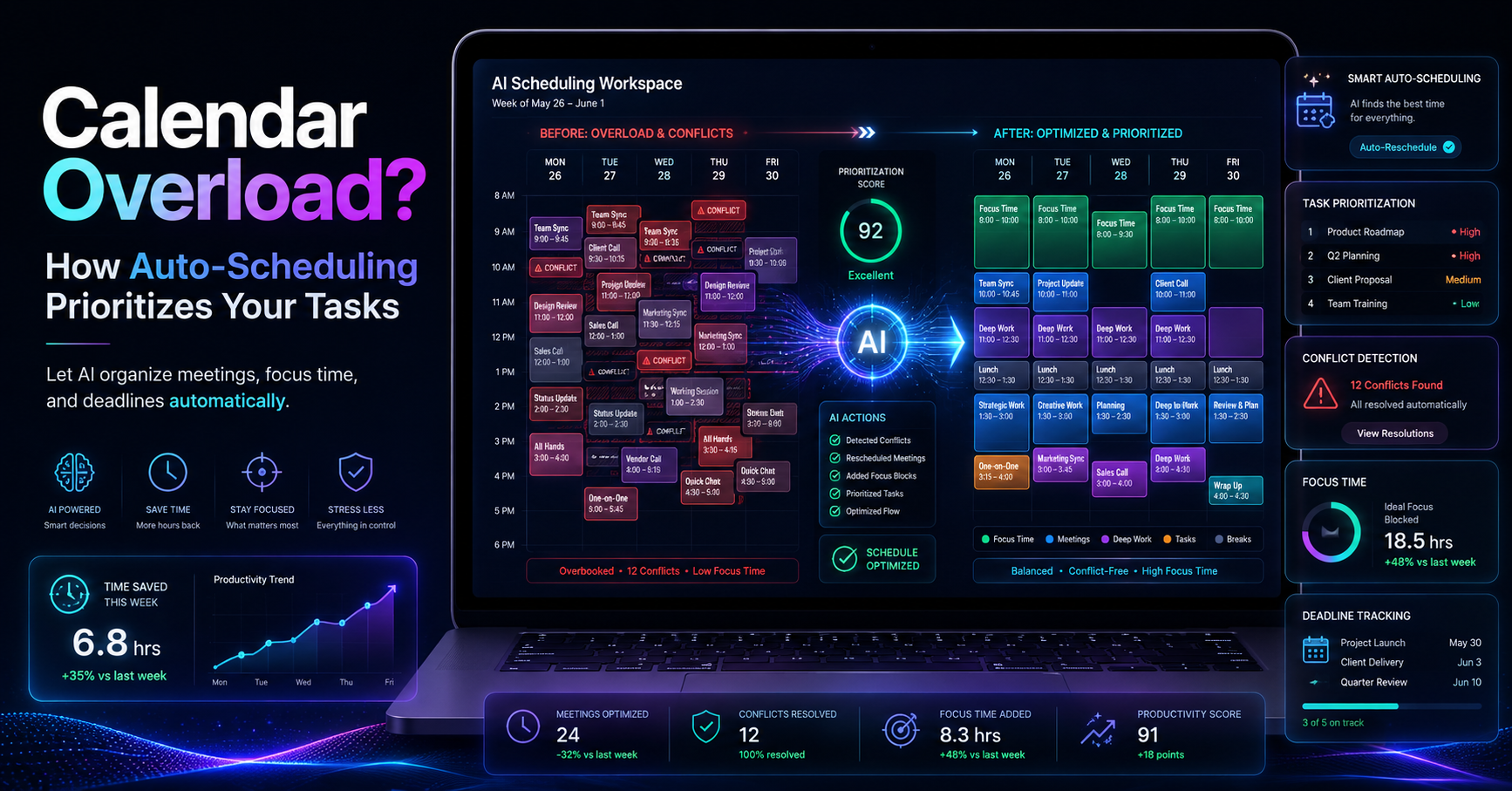
Calendar Auto-Scheduling is a feature of DailyTaskProAI that intelligently manages your calendar based on your email activity. It reads your emails to detect meetings and deadlines, checking your calendar availability to auto-schedule tasks into the free slots within your defined working hours. This means you no longer have to worry about finding time for your tasks amidst a flood of emails and meetings.
For instance, imagine you receive an email with a deadline next week. With DailyTaskProAI’s Smart Calendar & Auto-Scheduling, the system will not only flag this email as important but also check your calendar for open slots. If you have a free hour tomorrow, it could auto-schedule that task, ensuring you stay on top of your responsibilities without extra effort.
The Challenge of Meeting Overload
Meeting overload is a common issue faced by many professionals. Studies suggest that employees lose up to 2 hours a day due to scheduling conflicts and unorganized calendars. Furthermore, research indicates that 70% of professionals feel overwhelmed by their current meeting schedules. With 50% of meetings considered unproductive, it's clear that a significant amount of time is wasted.
When your calendar is packed with back-to-back meetings, it becomes increasingly challenging to find time for essential tasks. This not only affects productivity but can also lead to a negative work-life balance. As deadlines loom, the stress and pressure to perform can escalate, creating a cycle of frustration.
How Smart Calendar & Auto-Scheduling Works
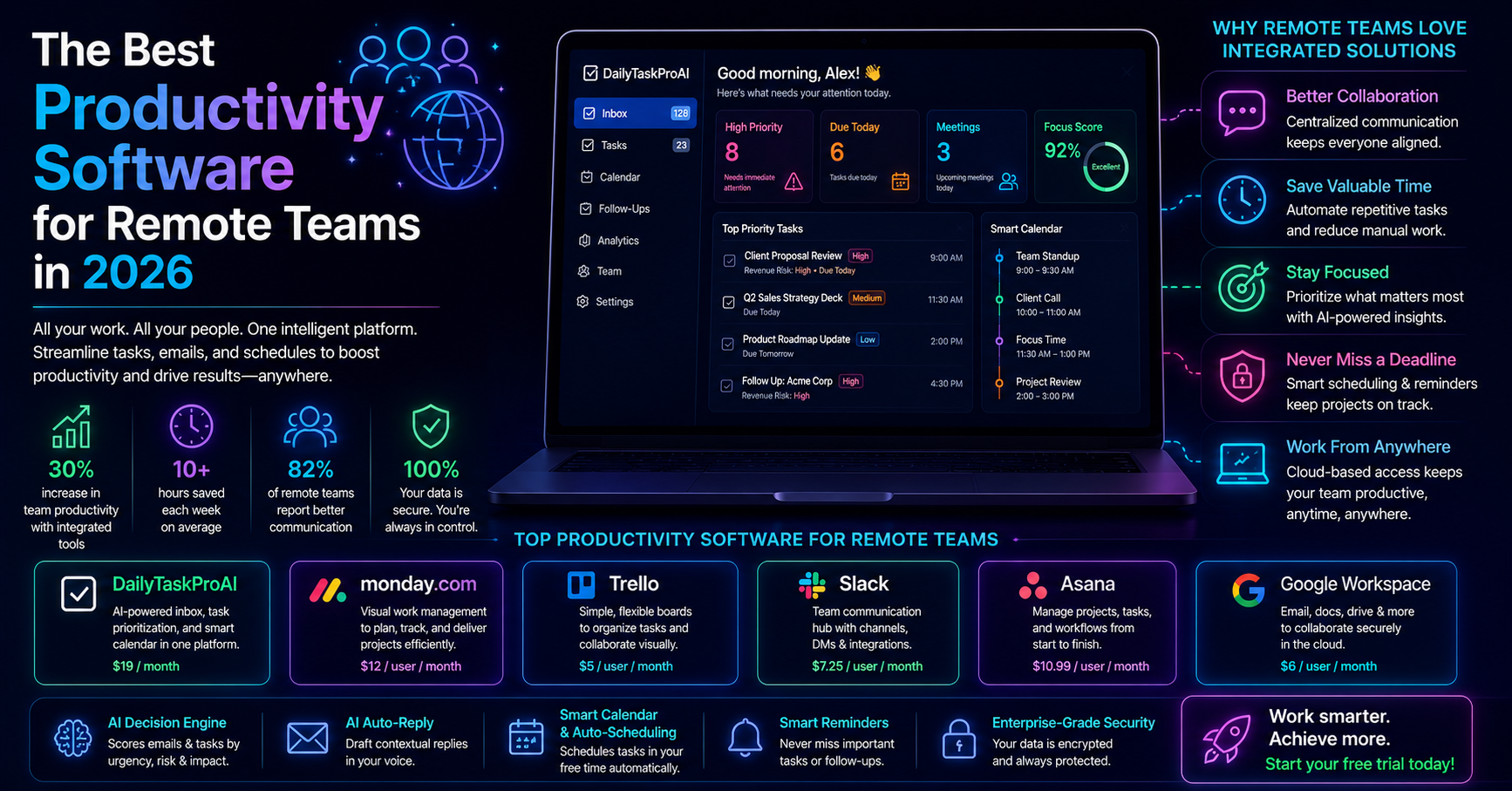
DailyTaskProAI’s Smart Calendar & Auto-Scheduling feature takes the guesswork out of scheduling. First, it integrates with your email (both Gmail and Outlook) to provide a merged priority view. The AI Decision Engine scores each email based on factors like urgency and revenue risk, guiding you on what to focus on first.
Once your emails are sorted, the Smart Calendar & Auto-Scheduling feature comes into play. It scans your calendar for available time slots and schedules tasks accordingly. It even detects conflicts and reschedules tasks for you, suggesting the next available slot. For example, if you have a meeting scheduled at 10 AM and you receive an urgent task email, the system can automatically find a free period later in the day to schedule that task, ensuring nothing falls through the cracks.
Benefits of Task Prioritization
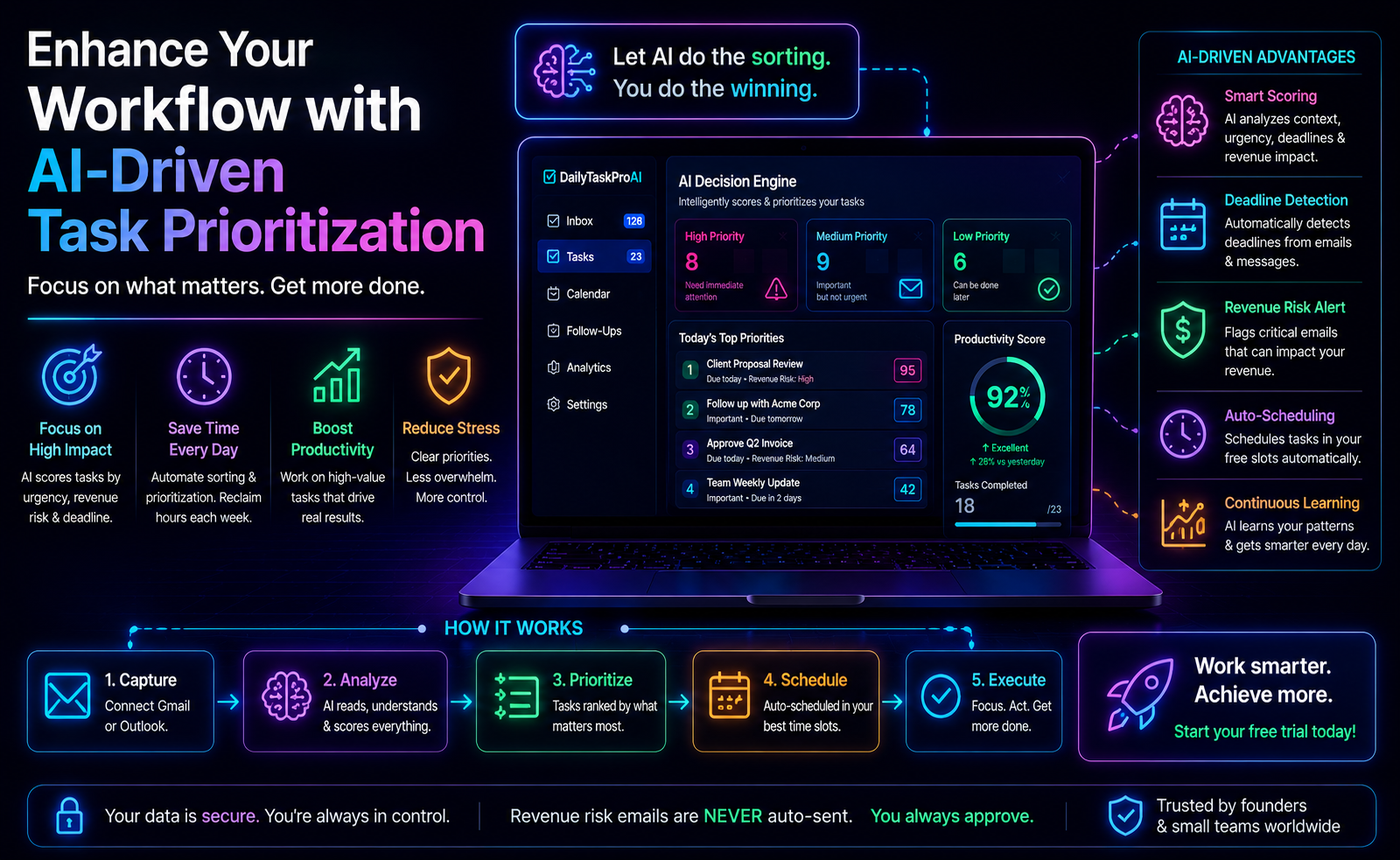
Task prioritization is essential for effective time management. The AI Decision Engine in DailyTaskProAI helps you identify which tasks require immediate attention and which can wait. By scoring emails and tasks, you can focus your energy where it matters most. This approach not only boosts productivity but also reduces feelings of overwhelm.
Consider a scenario where you have multiple tasks and emails vying for your attention. The AI Decision Engine scores an email from a client about a delayed payment as high-risk, while another email from a colleague about a project update scores lower. By prioritizing the high-risk email, you ensure that you address critical issues first, potentially saving your business from financial loss.
Pros:
Reduces decision fatigue by automating prioritization.
Helps you focus on high-impact tasks.
Improves overall productivity.
Cons:
Initial setup may require adjustment.
Some users may feel uncomfortable relying on AI.
This feature is best for busy professionals who juggle multiple responsibilities and need clear guidance on task prioritization.
Improving Productivity with Auto-Scheduling
Auto-scheduling can significantly enhance productivity by freeing up time and reducing the cognitive load of planning your day. With the Smart Calendar & Auto-Scheduling feature, you can reclaim hours otherwise spent on managing your calendar.
For instance, imagine a sales manager who frequently finds themselves double-booked due to back-and-forth emails trying to find a suitable time for client meetings. With DailyTaskProAI, the auto-scheduling feature can automatically propose meeting times based on all participants’ availabilities, making the process seamless. This not only saves time but also enhances the likelihood of closing deals due to timely follow-ups.
The potential for time savings is substantial. In fact, research shows that workers believe they could be 30% more productive with better scheduling tools. By implementing Smart Calendar & Auto-Scheduling, you align your tasks with your calendar, ensuring that your time is spent effectively.
Achieving Work-Life Balance
Effective calendar management and task automation can lead to a healthier work-life balance. When your calendar is organized and your tasks are prioritized, you can allocate time for both work and personal commitments without feeling overwhelmed.
Consider a busy operations manager who often takes work home due to an unorganized calendar. By using DailyTaskProAI, they can schedule their tasks during working hours and ensure meetings do not encroach on their personal time. This not only reduces stress but also allows for a clearer separation between work and home life.
Pros:
Improves overall job satisfaction.
Enhances personal well-being.
Encourages better time management habits.
Cons:
May require an adjustment period.
Some users may resist changing their scheduling habits.
This approach is ideal for professionals who struggle to separate work from personal life, allowing for a more balanced existence.
Features to Look for in an AI Scheduling Tool
When choosing an AI scheduling tool, it's essential to consider the features that will best serve your needs. Here are some key features to look for:
AI Decision Engine: Look for a tool that scores your emails and tasks, helping you focus on what matters most.
Calendar Auto-Scheduling: Ensure the tool can read emails and auto-schedule tasks into your calendar based on availability.
Conflict Detection: A good tool will identify scheduling conflicts and suggest alternatives to minimize disruptions.
Team Collaboration Features: If you work with a team, look for options that allow for task delegation and shared calendars.
Custom Email Signatures: This feature ensures that all your email communications remain professional and consistent.
DailyTaskProAI offers a comprehensive solution with all these features, making it a strong contender for anyone looking to improve their scheduling efficiency.
FAQs about Calendar Auto-Scheduling
How does Calendar Auto-Scheduling work?
Calendar Auto-Scheduling works by integrating with your email accounts to read incoming messages. It detects meetings and deadlines, checking your calendar availability to auto-schedule tasks into free slots during your defined working hours. This ensures that your time is managed effectively without manual effort.
What are the benefits of using DailyTaskProAI for scheduling?
DailyTaskProAI provides a unified view of your emails and calendar, automating the scheduling process. Benefits include reduced time spent managing your calendar, prioritized task management, and conflict detection that ensures no tasks overlap. This can lead to improved productivity and reduced stress.
Can I customize my working hours in DailyTaskProAI?
Yes, DailyTaskProAI allows you to define your working hours, including start and end times as well as specific working days. This means that the Smart Calendar & Auto-Scheduling feature will only schedule tasks within your set availability, ensuring that your work-life balance is maintained.
What happens if there’s a scheduling conflict?
If a scheduling conflict occurs, DailyTaskProAI detects it and suggests the next available time slot for your tasks. This feature minimizes disruptions and ensures that you can still meet deadlines without the stress of double-booking.
Is it easy to transition to using an AI scheduling tool?
Transitioning to an AI scheduling tool like DailyTaskProAI is designed to be user-friendly. The setup process is straightforward, and the AI learns from your preferences over time. While there may be an adjustment period, many users find that the efficiency gained far outweighs any initial discomfort.
Take Control of Your Calendar with DailyTaskProAI
Calendar overload is a significant pain point for many professionals. However, with DailyTaskProAI's Smart Calendar & Auto-Scheduling feature, you can regain control of your time. Not only does it help prioritize your tasks effectively, but it also ensures that you never miss a critical deadline. Revenue risk emails are NEVER auto-sent. You always approve.
Start your free trial today and see how DailyTaskProAI can transform the way you manage your calendar, making your day more productive and less stressful.
Resources & Further Reading
External Resources
How to Take Back Control of Your Schedule, Insights on managing time and meetings effectively.
The Future of Work, A report on how work is evolving and the importance of productivity tools.
Impact of Remote Work on Productivity, Statistics on how remote work affects productivity levels.