Most small teams struggle with email productivity, often drowning in an overflowing inbox while trying to maintain effective communication. When team members can’t keep up with the constant influx of emails, important messages get buried, leaving tasks unaddressed and deadlines missed. This chaos not only hampers productivity but also leads to frustration and burnout.
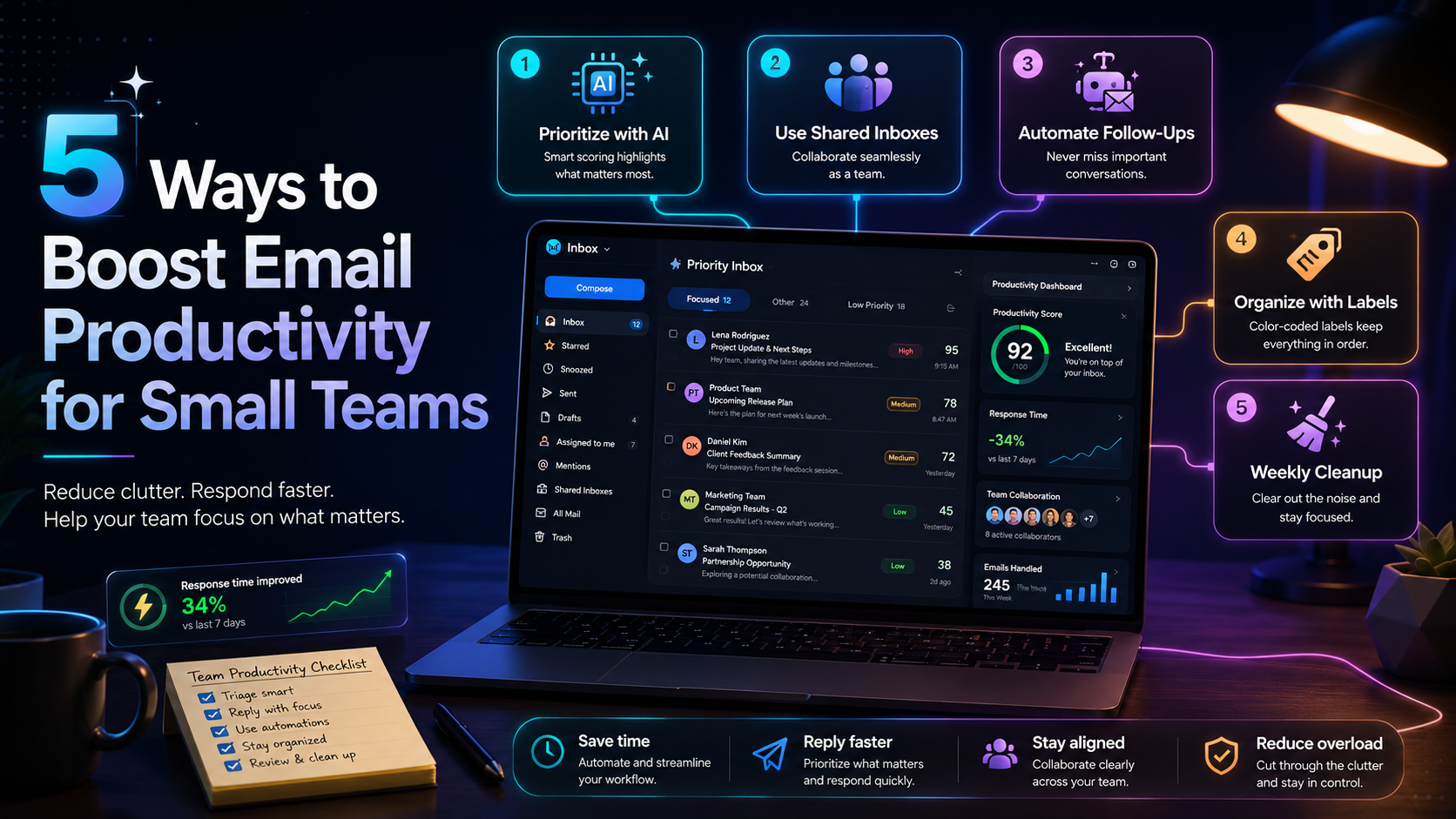
Improving email productivity for small teams is not just about managing your inbox. It involves adopting the right tools, establishing clear communication strategies, and fostering collaboration. Here are five effective methods you can implement to boost your email productivity and streamline your workflow.
Table of contents
Method 2: Utilize the AI Decision Engine for Task Prioritization
Method 4: Foster Team Collaboration Through Shared Email Practices
Method 1: Implement Email Management Tools
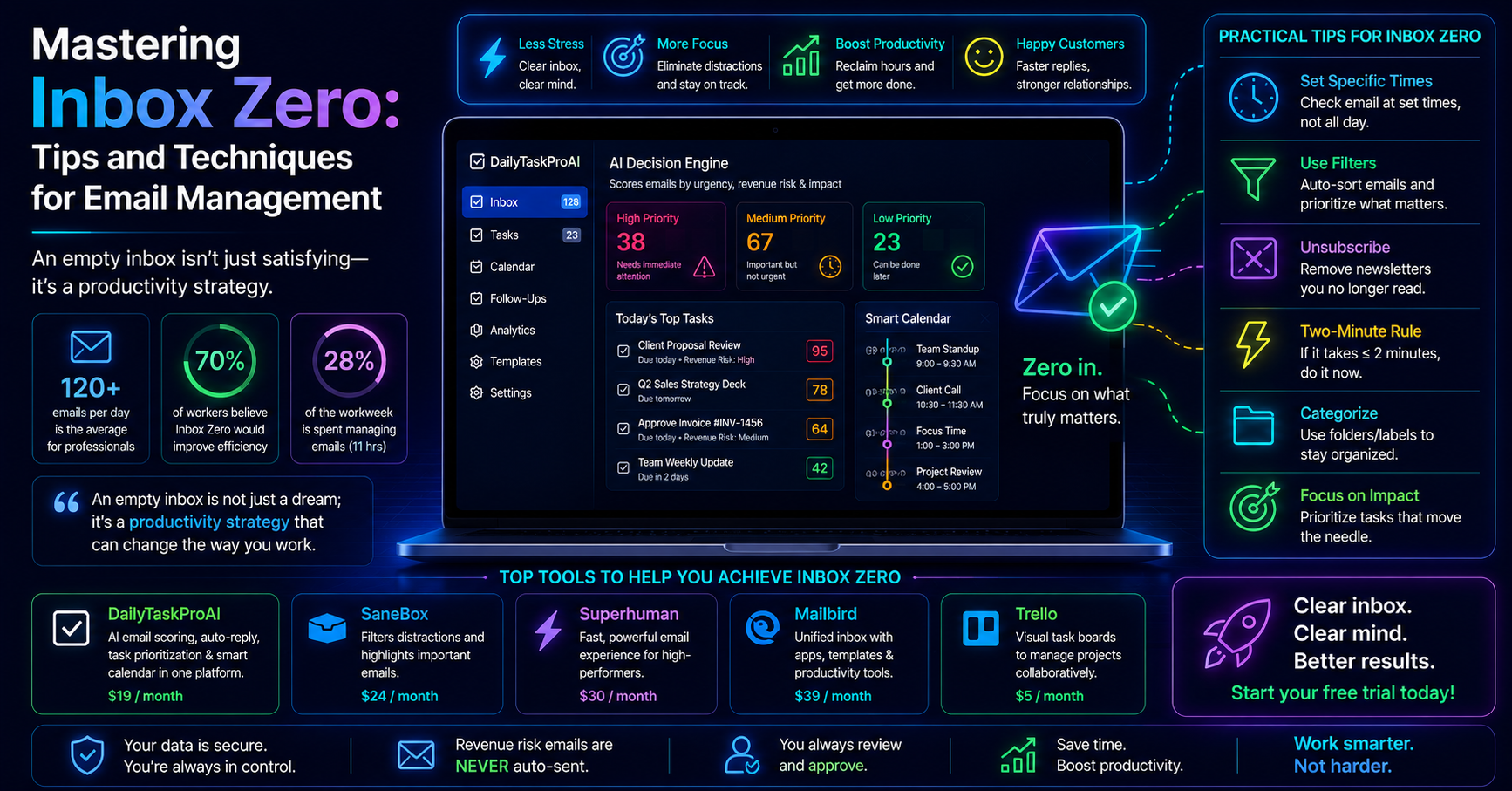
Email management tools are essential for small teams looking to streamline their inboxes. These tools help filter and organize emails, making it easier to find what matters. For example, tools like Superhuman and Sanebox offer features such as smart sorting, email snoozing, and reminders. These functionalities can significantly reduce the time spent managing emails.
Imagine a small marketing team that receives countless emails daily about campaigns, leads, and client feedback. By implementing an email management tool, they can automatically filter out newsletters and notifications, allowing them to focus solely on critical communications. This not only saves time but also enhances the team's ability to respond promptly to important messages.
Pros:
Reduces inbox clutter
Improves email retrieval speed
Increases responsiveness
Cons:
May require a learning curve
Some tools come with a subscription cost
Best for teams that receive a high volume of emails and need a way to prioritize them effectively. If your team often feels overwhelmed by the number of emails, these tools can provide immediate relief.
Method 2: Utilize the AI Decision Engine for Task Prioritization
The AI Decision Engine in DailyTaskProAI offers a sophisticated approach to prioritizing tasks based on the importance of emails. This feature scores every email from 0 to 100, allowing users to quickly identify which messages need immediate attention. For example, if a team is negotiating a deal and a crucial email arrives with a score of 95, it will be highlighted for immediate action.
Consider a sales team that needs to address client inquiries promptly. By using the AI Decision Engine, team members can sort through their inbox efficiently. They can focus on high-priority emails that directly impact revenue, while less important messages are pushed down the list. This enables the team to maintain a proactive approach to client engagement.
Pros:
Helps you focus on what truly matters
Increases efficiency in handling emails
Adapts to your working style
Cons:
May require time to adjust to scoring system
Relies on user input for optimal scoring
This method is ideal for teams that deal with a high volume of emails and need to ensure that critical communications are addressed promptly. It offers a clear advantage in fast-paced environments where time is of the essence.
Method 3: Establish Clear Communication Strategies
Creating clear communication guidelines can significantly reduce email overload. Establishing protocols for when to use email versus other forms of communication, like instant messaging or project management tools, can streamline processes. For instance, a team might decide that quick updates or questions should be handled through chat apps, while more detailed discussions or formal communications should be reserved for email.
Imagine a small tech startup with developers, marketers, and project managers. By implementing a communication strategy, they can limit the number of emails sent. Team members can use email only for essential updates or decisions, while daily stand-ups and project management tools can handle ongoing discussions. This leads to fewer emails and more effective communication overall.
Pros:
Reduces unnecessary email traffic
Enhances clarity in communication
Improves team collaboration
Cons:
Requires buy-in from all team members
May take time to implement effectively
Best for teams that frequently experience email overload and need to streamline communication processes. A well-defined strategy can lead to more productive interactions and a more organized workflow.
Method 4: Foster Team Collaboration Through Shared Email Practices
Small teams can enhance collaboration by sharing email responsibilities. This can be done through shared inboxes or collaborative email tools that allow team members to manage and respond to emails together. Tools like Motion facilitate collaborative email management, allowing team members to assign emails to one another based on expertise or availability.
For example, a customer support team can benefit from shared inboxes. If a customer sends an inquiry to the support email, any team member can pick it up and respond. This approach not only distributes the workload but also speeds up response times, improving customer satisfaction.
Pros:
Improves response times
Distributes workload evenly
Enhances team accountability
Cons:
Requires coordination among team members
May lead to confusion without clear protocols
This method is well-suited for customer-facing teams that need to handle inquiries efficiently. By fostering collaboration, teams can ensure that no email goes unanswered and that workloads are balanced effectively.
Method 5: Organize Emails for Maximum Efficiency
Organizing your emails into folders or categories can drastically improve retrieval and response times. Implementing a systematic approach to email organization allows team members to quickly find relevant messages without wasting time scrolling through their inboxes. For instance, creating categories such as "Urgent," "Follow-Up," and "Read Later" can help prioritize responses.
Take a project management team that deals with multiple clients. By categorizing emails based on clients or projects, team members can quickly locate emails related to specific tasks or deadlines. This organization method not only saves time but also reduces stress when searching for important information.
Pros:
Enhances email retrieval speed
Reduces stress related to email overload
Improves overall organization
Cons:
Requires consistent maintenance
Initial setup can be time-consuming
This method is ideal for teams that work with numerous clients or projects and need a robust organizational system. Proper email organization can make a significant difference in productivity and efficiency.
Comparison of Email Productivity Methods
Method Effort Effectiveness Best for Implement Email Management Tools Medium High High volume email teams Utilize the AI Decision Engine Low Very High Sales and operations teams Establish Clear Communication Strategies Medium High All teams Foster Team Collaboration Medium High Customer support teams Organize Emails for Maximum Efficiency High Medium Project management teams
How to Choose the Right Method
When selecting a method to boost email productivity for small teams, consider your team size, email volume, and specific needs. If your team handles a high volume of emails, utilizing the AI Decision Engine in DailyTaskProAI can provide an efficient way to prioritize. For teams with less email traffic, establishing clear communication strategies may suffice.
Your budget also plays a significant role. DailyTaskProAI offers various pricing options to accommodate different team sizes and needs. If your team operates in India, consider the GST email management features tailored for Indian businesses. Choose a method that aligns with your workflow and team dynamics to ensure the best results.
Frequently Asked Questions
1. What are the benefits of using email management tools?
Email management tools help streamline your inbox by filtering and organizing emails, allowing you to focus on high-priority messages. They can also improve response times and enhance overall productivity by reducing clutter.
2. How does the AI Decision Engine prioritize emails?
The AI Decision Engine scores each email on a scale from 0 to 100 based on its importance. This scoring system helps you quickly identify which emails require immediate attention, enabling more efficient task management.
3. What should be included in a communication strategy?
A communication strategy should outline when to use email versus other forms of communication, set expectations for response times, and define how team members should handle different types of messages. Clear guidelines can help reduce email overload.
4. How can shared inboxes enhance team collaboration?
Shared inboxes allow multiple team members to access and respond to emails, improving response times and distributing workloads. This collaborative approach ensures that no email goes unanswered and enhances accountability within the team.
5. Why is email organization important?
Organizing emails into folders or categories improves efficiency by allowing team members to quickly find relevant messages. A well-organized inbox reduces stress and helps ensure that important emails are not overlooked.
Boost Your Email Productivity with DailyTaskProAI
Start boosting your email productivity today with DailyTaskProAI. This tool combines effective email management and task prioritization features, including the AI Decision Engine, to streamline your workflow. Revenue risk emails are NEVER auto-sent. You always approve. Investing in a solution that addresses your email productivity challenges will help your small team operate more efficiently and effectively.
Ready to take control of your inbox? Get started free and transform how your team manages emails.