On this page
What AI email triage software actually does
AI email triage software reads your inbox and decides what deserves attention first, instead of leaving every message in flat reverse-time order. Good AI email triage flags replies you owe, pulls deadlines forward, and ranks threads so the message that can cost you money reaches you before a newsletter does. The four tools below approach that job in very different ways.
Some are fast email clients with AI bolted on. Some are calendar tools that touch email lightly. One is built around scoring threads by what is at stake. None is best for everyone, so the right pick depends on whether your bottleneck is speed, scheduling, organization, or risk. If you want the deeper mechanics, our guide on how to prioritize emails automatically breaks down the four core methods.
Superhuman: the fast email client
Superhuman is a premium, blazing-fast email client built for people who live in their inbox and want to clear it in minutes. It is the strongest pick if raw speed and keyboard control are your priority, with more than 100 shortcuts, Split Inbox, AI writing, Auto Summarize, Ask AI, and Auto Drafts. Pricing starts at $30 per month, with a Business tier at $40 per month and custom Enterprise plans.
Where Superhuman shines: it makes triaging by hand feel effortless, and its CRM links to HubSpot, Salesforce, and Pipedrive are genuinely useful for sales reps. Where it stops short: it is still a fast client, not a decision engine. It does not score threads by revenue risk and it has no GST detection. You move faster, but you are still the one deciding what matters. If you want a deeper breakdown, see our DailyTaskProAI vs Superhuman comparison.
Motion: the calendar autopilot
Motion is a calendar and task autopilot that automatically schedules your work onto your calendar, then layers project management, meeting notes, and docs on top. It is the best fit when your real problem is fitting tasks into a packed day, not email overload. Individual plans are $49 per month, or $29 per month billed annually ($348 per year), with Team at $12 per user per month on the annual plan.
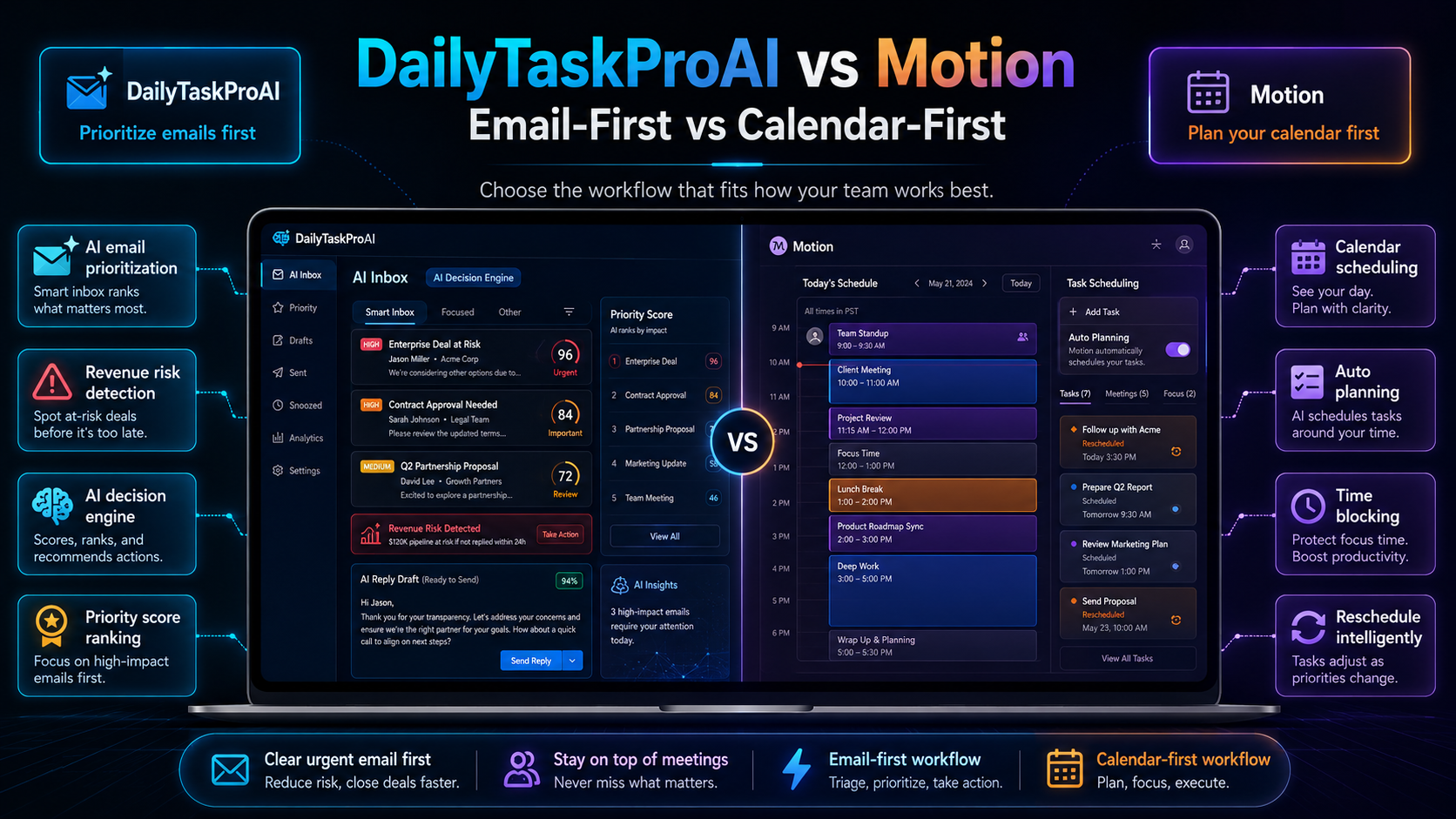
Motion's strength is real: it takes your to-do list and finds time for it, rescheduling automatically when meetings shift. For email, though, Motion is a light 1-click assistant rather than inbox intelligence. It does not deeply read and rank your inbox, and it has no revenue risk scoring or GST handling. If scheduling is your bottleneck, Motion is excellent. If email triage software is what you actually need, it is the wrong tool. Our DailyTaskProAI vs Motion comparison covers the split in detail.
Fyxer: inbox buckets and meeting notes
Fyxer organizes your inbox into buckets like needs-reply, FYI, and marketing, drafts replies in your voice, and can join meetings to take notes. It is a strong pick for people who want tidy AI inbox management and ready-to-edit drafts without changing email clients. Pricing starts at $30 per month, with a Professional tier at $50 per month.
Fyxer's compliance posture is serious, with SOC 2 Type II, ISO 27001, GDPR, and HIPAA available, which matters for regulated teams. Two honest caveats: Fyxer charges overage fees tied to email volume, so a heavy month can cost more than you expect, and it sorts mail into buckets rather than scoring each thread 0-100. There is no revenue-risk scoring, no GST tagging, and no delegation pipeline. See our DailyTaskProAI vs Fyxer comparison for the full picture.
See your inbox scored in three minutes
Connect Gmail or Outlook and watch the AI Decision Engine rank your real email by revenue risk. No credit card required.
DailyTaskProAI: AI Decision Engine with revenue risk
DailyTaskProAI is an AI Decision Engine that scores every email 0-100 and tells you what to do first, with a focus on the threads that affect money. Disclosure: we make DailyTaskProAI, so treat this section as the maker's view, not a neutral referee. We have tried to keep the competitor sections above accurate and fair.
Our angle is different from the three tools above. The AI Score rates each message on four signals: urgency, revenue risk, deadline, and sender importance, with adjustable weights and real-time re-ranking. Rule-based scoring runs free on every sync, and an AI rescore using our AI module is available when you want a sharper read. Revenue Risk Detection flags invoices, payment delays, and deal-critical threads at score 80+, and it can parse PDF invoices so a buried payment request does not slip.
We also build for India. GST emails are auto-tagged, filing deadlines are flagged, and INR billing runs through Razorpay. On safety, AI Auto-Reply drafts replies from thread context and your past messages, but you stay in control: revenue risk and GST emails are never auto-sent, and there is a 5-minute undo window on anything that is. Pricing is $19 per month for Pro, cheaper than Superhuman, Motion, and Fyxer, and it uses Credits so you pay for what you use. Credits never expire. You can read how the scoring works on the AI Decision Engine feature page.
Revenue risk emails are NEVER auto-sent. You always approve.
Side-by-side comparison table
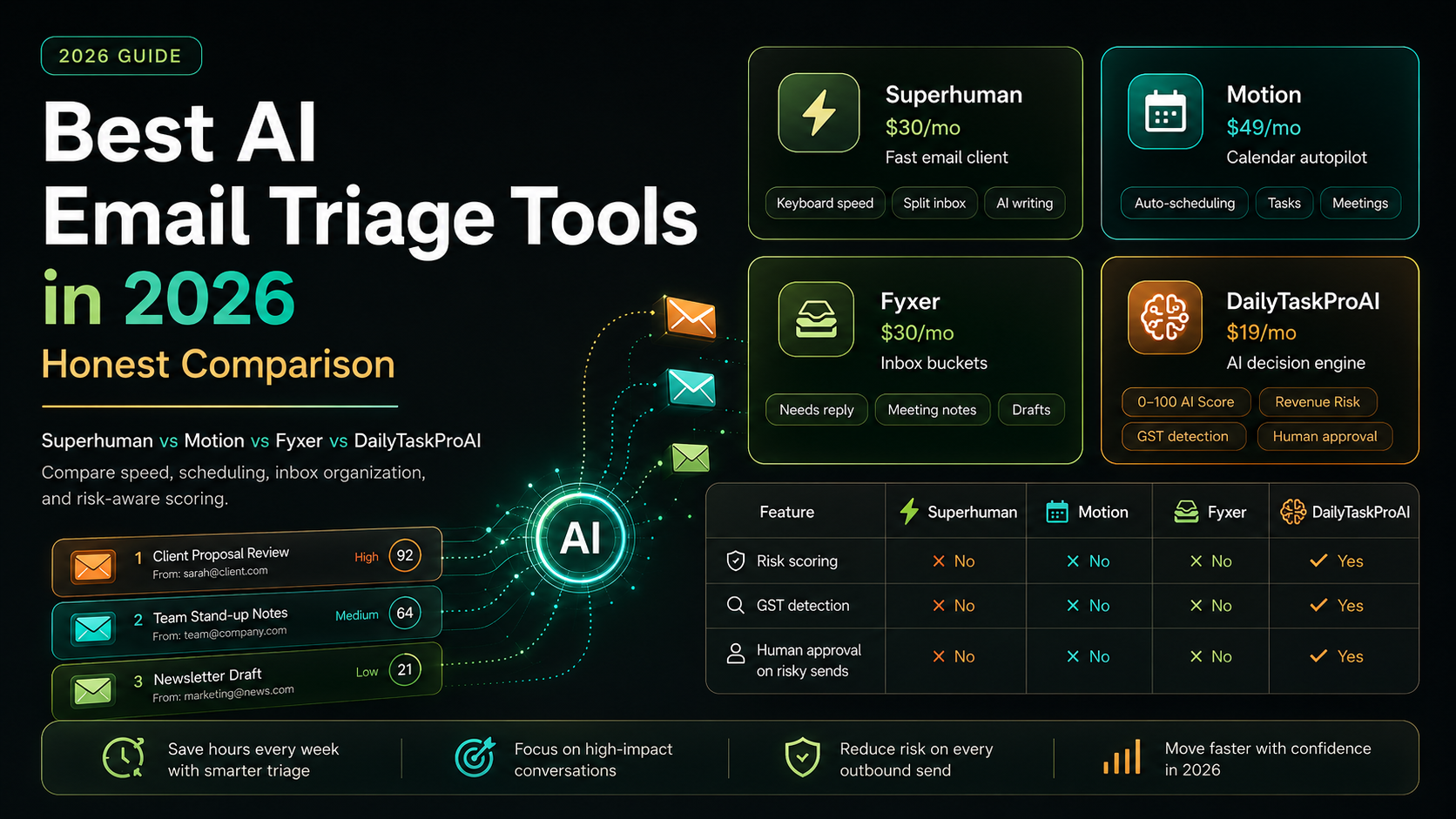
Here is how the four AI email triage tools line up on the points that decide most purchases: entry price, what they are built to do, and whether they score threads by revenue risk. Prices are accurate as of 2026 and are listed at each tool's lowest published monthly rate.
Tool From Built for 0-100 risk scoring GST detection Human approval on risky sends Superhuman $30/mo Fast email client, keyboard speed No No N/A (manual send) Motion $49/mo Calendar and task autopilot No No N/A (light email assistant) Fyxer $30/mo Inbox buckets, drafts, meeting notes No No Drafts only, you send DailyTaskProAI $19/mo AI Decision Engine, revenue risk Yes Yes Yes
How to choose the right tool
Pick the tool that matches your actual bottleneck, not the longest feature list. If you process huge volume by hand and want pure speed, choose Superhuman. If your days collapse because tasks never fit your calendar, choose Motion. If you want a tidy inbox with drafts in your voice, choose Fyxer. If money slips through your inbox, choose scoring.
That last case is where we built DailyTaskProAI. When a missed invoice or a cold deal thread costs real revenue, ranking email by what is at stake beats sorting it into folders. The honest summary: speed, scheduling, and organization are solved problems with strong tools. Risk-aware AI inbox management with human approval and credit pricing is the gap we focus on. Compare any pairing on our comparisons hub.
how the AI Decision Engine scores email DailyTaskProAI vs Superhuman how to prioritize emails automatically Revenue Risk Detection