Employees spend an average of 28% of their workweek managing emails, leading to significant productivity losses. For operations managers and small teams, effectively triaging emails is essential for maintaining workflow and meeting deadlines. When email overload becomes a barrier, it hampers not just individual performance but team morale as well.
AI tools for email triage can simplify this process, helping you prioritize urgent communications and streamline your response times. In this post, we’ll explore how integrating AI into your email management can enhance productivity and reduce stress.
Table of contents
Understanding Email Triage
Email triage refers to the process of sorting through incoming messages to prioritize them based on urgency and importance. For operations managers, this is vital to ensure that critical communications are addressed promptly and that essential tasks are completed on time. A well-organized email triage system can significantly reduce the time spent managing emails and increase overall productivity.
Imagine you're an operations manager receiving dozens of emails daily, some of which contain urgent requests while others are simple newsletters. Without a clear system to prioritize these emails, you might miss a crucial deadline or overlook a significant client inquiry. Effective email triage allows you to categorize emails, enabling you to focus on what truly matters.
Pros:
Improved focus on urgent tasks.
Reduced risk of missing important communications.
Greater overall productivity.
Cons:
Initial setup may require time and effort.
Can be overwhelming if too many emails arrive simultaneously.
Email triage is best for operations managers and small teams who face a high volume of emails and need a systematic approach to manage their workload efficiently. By implementing a robust triage system, you can regain control over your inbox.
The Role of AI in Email Management
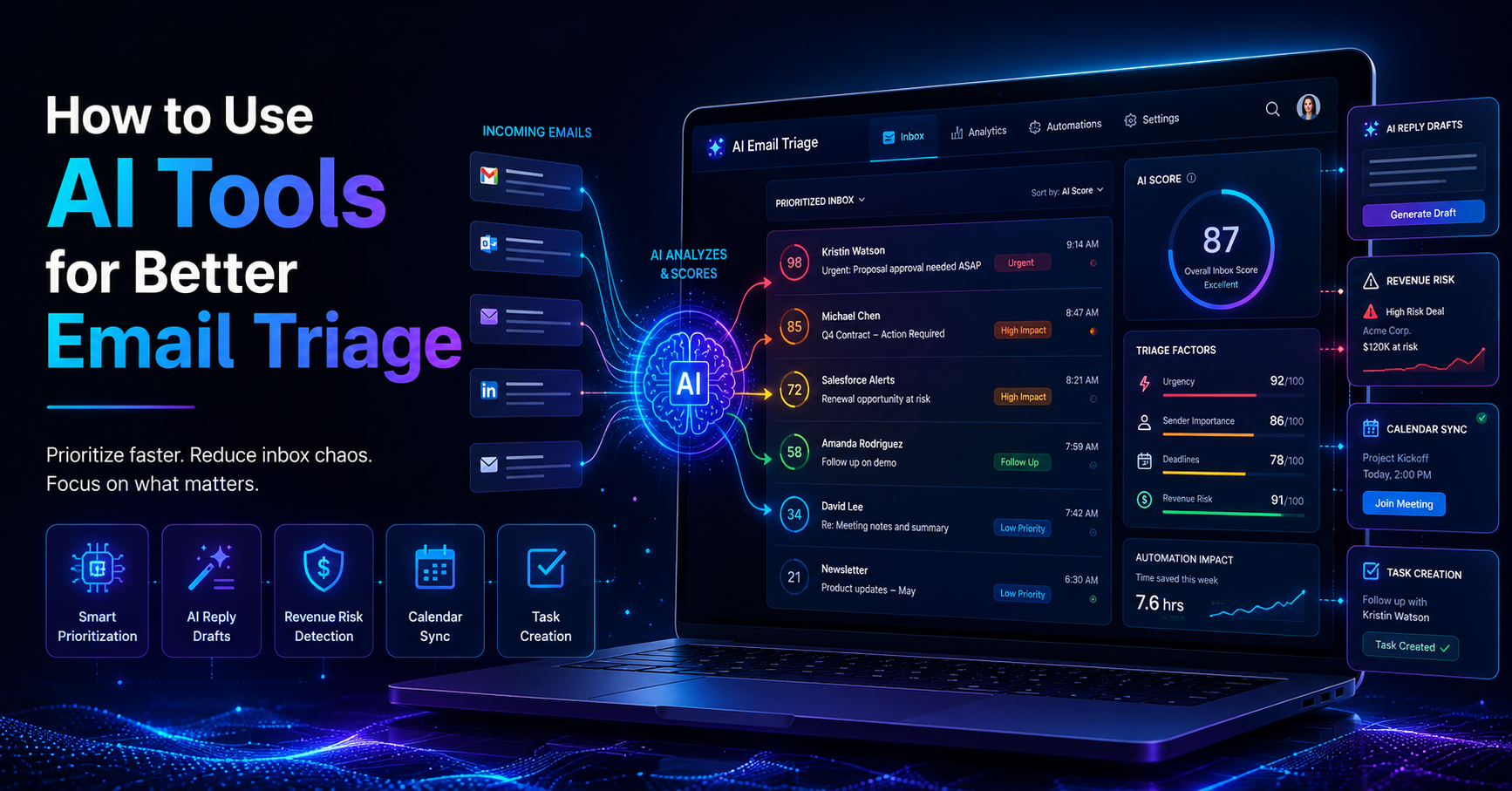
AI tools for email management can significantly enhance your email triage process. With features like the AI Decision Engine, emails are automatically scored based on revenue risk, urgency, deadline, and sender. This scoring system helps you determine which emails need your immediate attention and which can wait.
Consider a scenario where you receive an email from a key client requesting a contract revision alongside a promotional email from a vendor. The AI Decision Engine may score the client email at 95 and the vendor email at 20, allowing you to prioritize your response effectively. This immediate clarity saves time and minimizes the stress of deciding what to address first.
Pros:
Automates the prioritization process, saving time.
Increases accuracy in identifying urgent emails.
Reduces decision fatigue.
Cons:
Initial learning curve to fully utilize AI features.
May require adjustments based on personal email habits.
AI tools are ideal for small teams and operations managers seeking to enhance their email management capabilities without adding to their workload. Integrating AI allows for a more efficient response system, resulting in improved overall productivity.
Prioritizing Emails with AI Tools
Prioritizing emails using AI tools involves leveraging the AI Decision Engine to score each email based on various criteria like urgency and importance. This process not only categorizes emails but also provides actionable insights on how to address them.
For instance, if you receive an email from a supplier regarding a payment issue, it could be flagged as high urgency, while a newsletter from a non-urgent source would score much lower. This allows you to focus on resolving high-impact issues first. As a result, research shows that AI-driven email prioritization can lead to a 40% increase in task completion rates.
Pros:
Clear visibility into urgent tasks.
Helps in managing workload effectively.
Improves response efficiency.
Cons:
May require fine-tuning for optimal results.
Some users may be reluctant to trust AI assessments.
This approach is best for teams dealing with high email volumes and those looking to improve their overall workflow. By implementing AI prioritization, you can focus on high-impact tasks and reduce email-related stress.
Improving Response Times with AI
AI tools can streamline response times significantly. The AI Auto-Reply feature drafts contextual replies in your voice, allowing you to respond to emails quickly without sacrificing quality. You always review and approve these drafts before they are sent, ensuring your message aligns with your communication style.
For example, if you receive a request for information from a prospective client, the AI can generate a draft response based on your previous communications. This allows you to respond within minutes rather than hours, enhancing your responsiveness and professionalism.
Pros:
Speeds up response times.
Maintains a personal touch in communications.
Reduces the mental load of drafting responses.
Cons:
Requires oversight to ensure accuracy.
May not capture nuances in every communication.
This method is particularly useful for operations managers and small teams looking to enhance their responsiveness and maintain effective communication with clients and stakeholders. By using AI for drafting replies, you can significantly reduce email turnaround time and improve client satisfaction.
Integrating Smart Calendar & Auto-Scheduling
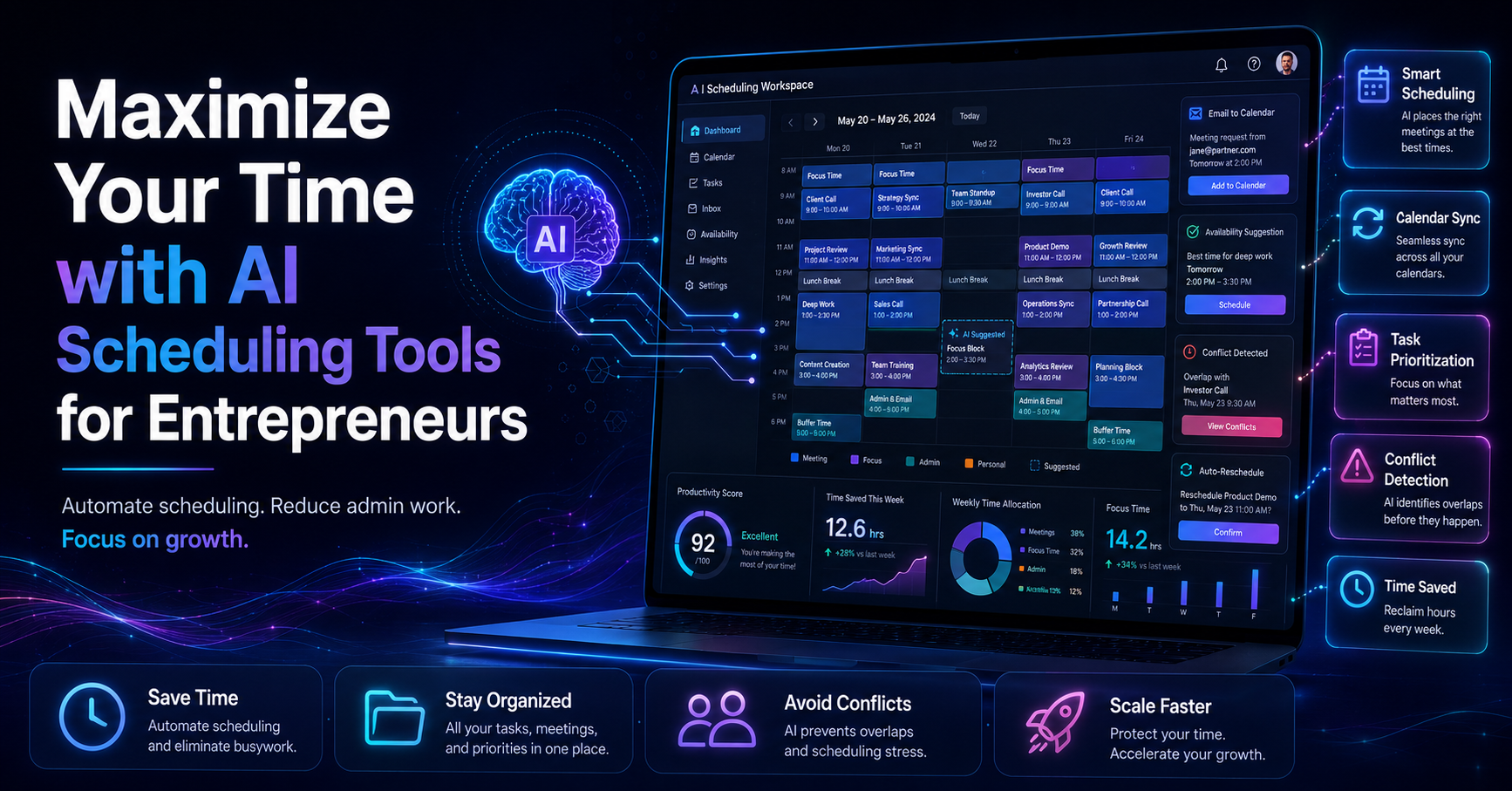
The Smart Calendar & Auto-Scheduling feature reads emails, detects meetings and deadlines, and checks your calendar availability to automatically schedule tasks into free slots within your working hours. This integration ensures that you’re not just managing emails but also keeping track of your commitments efficiently.
Imagine you receive multiple emails about meeting requests and project deadlines. Instead of manually checking your calendar and rescheduling tasks, the Smart Calendar & Auto-Scheduling feature automatically finds free slots and schedules tasks without conflicts. If a meeting overlaps with another commitment, it can suggest the next available time to reschedule.
Pros:
Eliminates scheduling conflicts.
Automates task allocation based on availability.
Enhances time management and productivity.
Cons:
Initial setup may require some time.
May not account for last-minute changes in availability.
This feature is ideal for operations managers and small teams who juggle multiple responsibilities and require a streamlined scheduling approach. By integrating Smart Calendar & Auto-Scheduling into your workflow, you can focus more on executing tasks rather than managing your calendar.
Case Studies: Success Stories
Consider a small e-commerce team that implemented DailyTaskProAI to handle their email and scheduling challenges. Before using AI, they struggled with email overload, often missing important customer inquiries and deadlines. After integrating the AI Decision Engine and Smart Calendar & Auto-Scheduling, they reported a 30% reduction in response times and a significant improvement in team morale.
Another example involves operations managers in a mid-sized firm who faced constant pressure from email communications and tight deadlines. They adopted DailyTaskProAI and utilized the AI Auto-Reply feature to draft responses quickly. This resulted in a 40% increase in task completion rates, allowing them to focus on strategic initiatives rather than getting bogged down in email management.
"Integrating AI into our email processes transformed how we work. We’ve not only improved our response times but also our overall productivity.", Operations Manager, Mid-Sized Firm
FAQs About AI Tools for Email Triage
What is email triage?
Email triage is the process of sorting and prioritizing emails based on their urgency and importance. This method helps ensure that important communications are addressed promptly, reducing the risk of missed deadlines and improving overall efficiency.
How do AI tools help with email management?
AI tools assist with email management by automating routine tasks, scoring emails based on urgency and importance, and streamlining responses. Features like the AI Decision Engine and AI Auto-Reply ensure that you can focus on high-impact tasks without getting overwhelmed by your inbox.
What are the benefits of using AI for email prioritization?
Using AI for email prioritization can lead to increased task completion rates, improved response times, and enhanced focus on critical tasks. By automating the sorting process, teams can regain control over their workload and reduce stress associated with email management.
Can AI tools integrate with existing email systems?
Yes, most AI tools, including DailyTaskProAI, can integrate with popular email systems like Gmail and Outlook. This allows you to have a unified view of your inbox while leveraging AI features for better email management and scheduling.
How does Smart Calendar & Auto-Scheduling work?
The Smart Calendar & Auto-Scheduling feature reads your emails to identify meetings and deadlines, checks your availability, and automatically schedules tasks into your calendar. This ensures that you stay organized and manage your time effectively without conflicts.
Start Enhancing Your Email Triage Process with DailyTaskProAI
With the challenges of email overload affecting productivity, integrating AI tools for email triage is a practical solution. Features like the AI Decision Engine and Smart Calendar & Auto-Scheduling streamline your workflow, allowing you to focus on what truly matters. Remember, revenue risk emails are NEVER auto-sent. You always approve. Start using DailyTaskProAI today to enhance your email triage process!
Resources & Further Reading
External Resources
How AI is Transforming Email Management, Insight into AI's impact on email workflows.
The Future of Email Management, McKinsey’s perspective on evolving email strategies.
How AI is Helping Businesses Automate Their Emails, Analysis of AI applications in email automation.