AI Email Management: A Growing Necessity
Over 70% of professionals report feeling overwhelmed by the volume of emails they receive daily. This constant flood of messages often leads to missed deadlines and lost opportunities. The truth is, most professionals do not have an email problem; they have an order problem. Effective AI email management can drastically improve your email handling, allowing you to regain control and enhance productivity.
Businesses using AI tools for email management have experienced an average productivity increase of 20-30%. By integrating AI into your workflow, you can tackle the email overload and streamline your operations, leaving you more time to focus on what really matters.
Table of contents
Method 1: How AI Improves Email Management
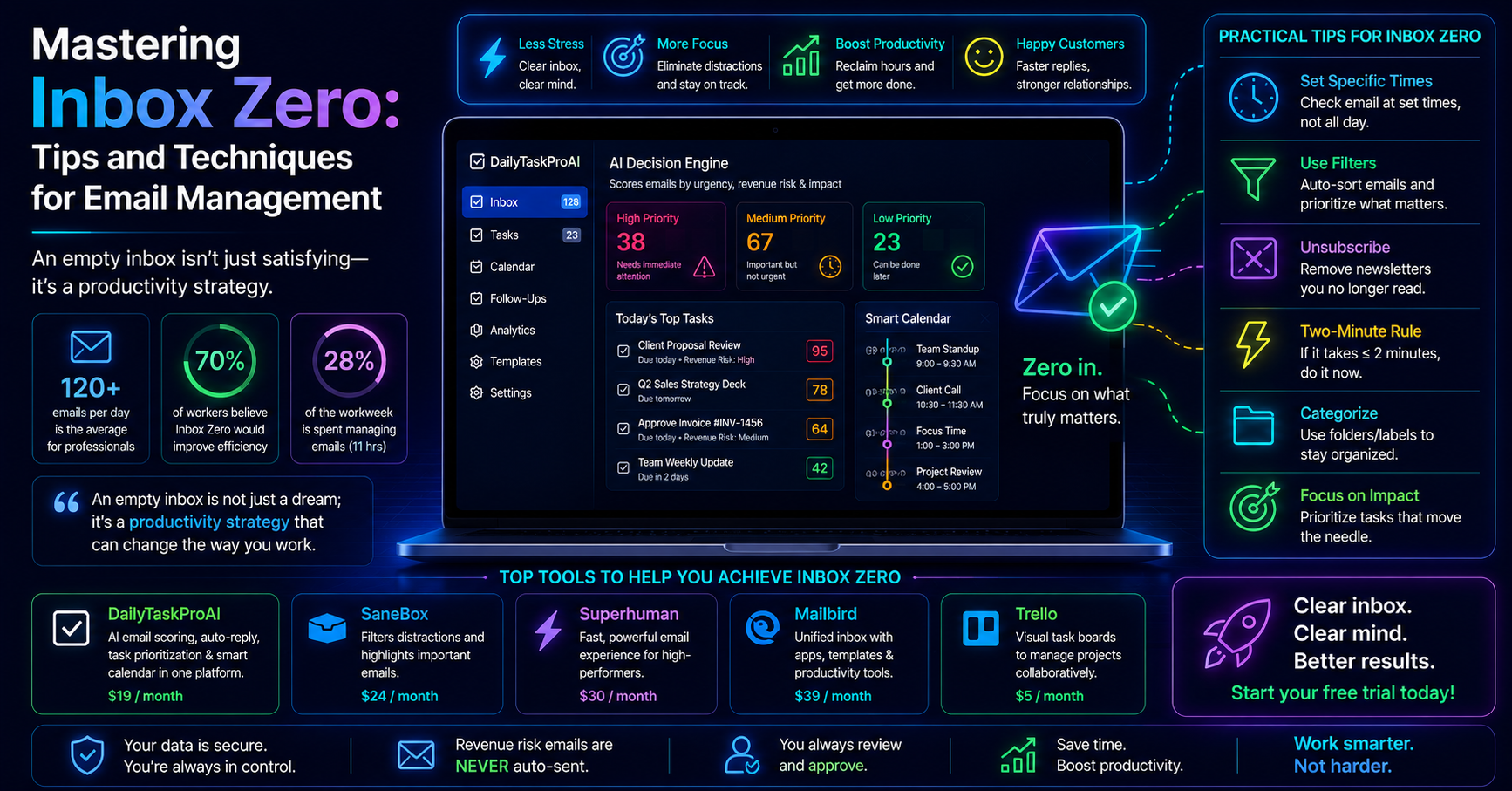
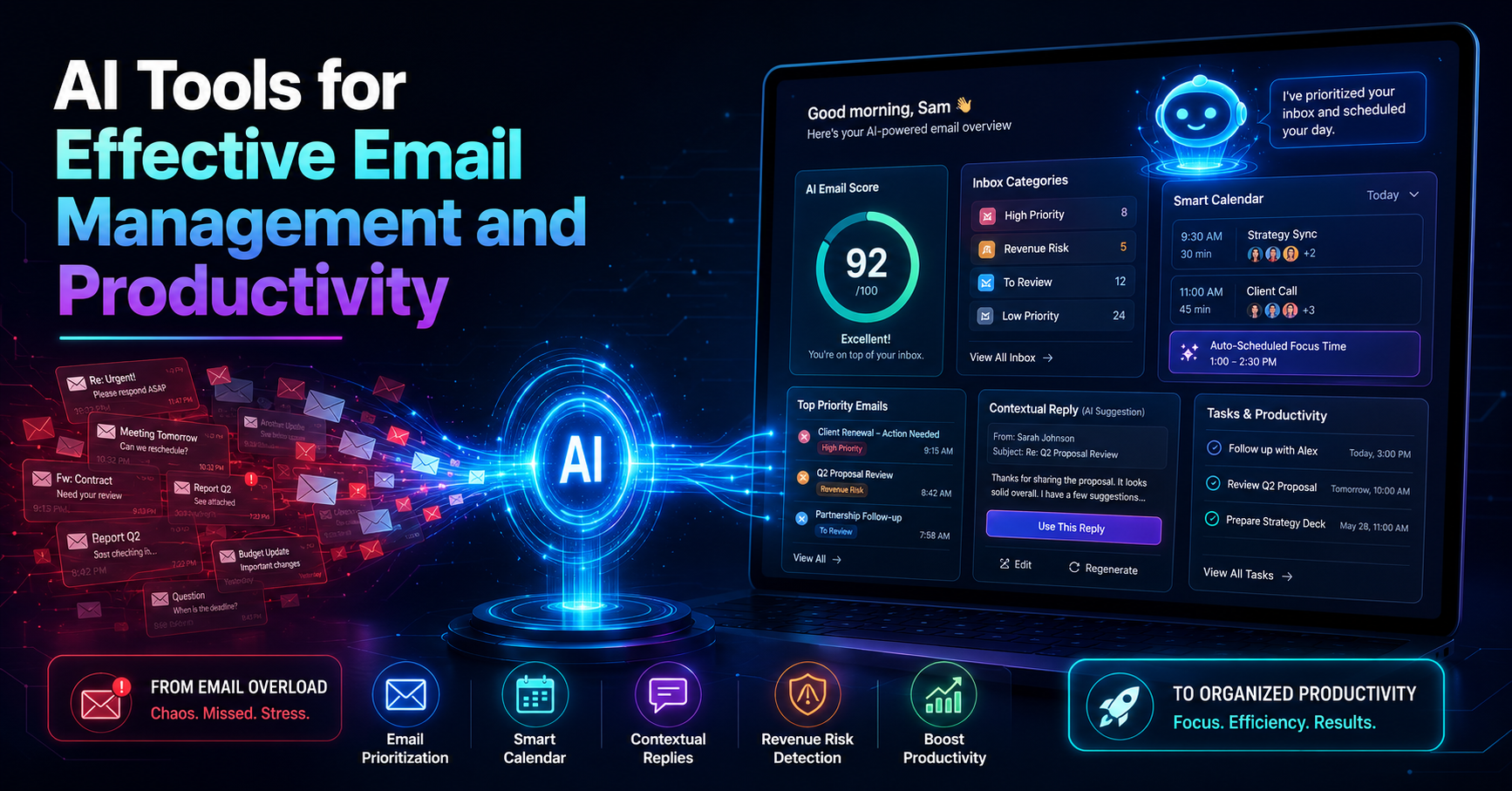
AI email management tools streamline your inbox by automating repetitive tasks and enhancing prioritization. The AI Decision Engine is a core feature that scores each email based on urgency, revenue risk, and sender importance. This intelligent system helps you decide which emails to tackle first, reducing the time spent sorting through your inbox.
Imagine it's Monday morning, and your inbox is flooded with emails. You have critical client communications, invoices due, and internal updates. The AI Decision Engine scans your emails, ranks them, and presents the top priorities. You can immediately focus on what matters, rather than sorting through every message.
Pros: Saves time, reduces stress, improves focus.
Cons: Initial setup may take time, requires user approval for responses.
This method is best for professionals overwhelmed by email volume and those who need to prioritize urgent communications effectively.
Method 2: The Role of Email Prioritization
Prioritization is crucial in email management, especially when professionals spend up to 28% of their workweek managing emails. AI-driven tools, like the AI Decision Engine in DailyTaskProAI, help you sift through your emails and prioritize them based on defined criteria.
For instance, consider a sales manager who receives dozens of inquiries daily. With AI prioritization, the tool can flag high-value client emails and urgent inquiries while filtering out less critical messages. This allows the manager to respond quickly to potential revenue opportunities while avoiding distractions.
Pros: Enhanced focus on important tasks, improved response times.
Cons: May miss nuances of complex emails without human input.
This approach is particularly beneficial for sales teams and operations managers who need to manage customer communications efficiently.
Method 3: Task Scheduling with Smart Calendar & Auto-Scheduling
The Smart Calendar & Auto-Scheduling feature integrates seamlessly with email management, allowing you to schedule tasks directly into your calendar based on priority and availability. This feature reads your emails, detects deadlines, checks your calendar for free slots, and automatically schedules tasks during your working hours.
For example, if you receive an email about a project deadline, the system can automatically create a task and schedule time to work on it, ensuring you never miss a deadline. This approach also helps mitigate calendar conflicts by suggesting the next available time slot for rescheduling.
Pros: Reduces scheduling conflicts, ensures deadlines are met.
Cons: Requires accurate calendar input for best results.
Method 4: Email Automation and Contextual Replies
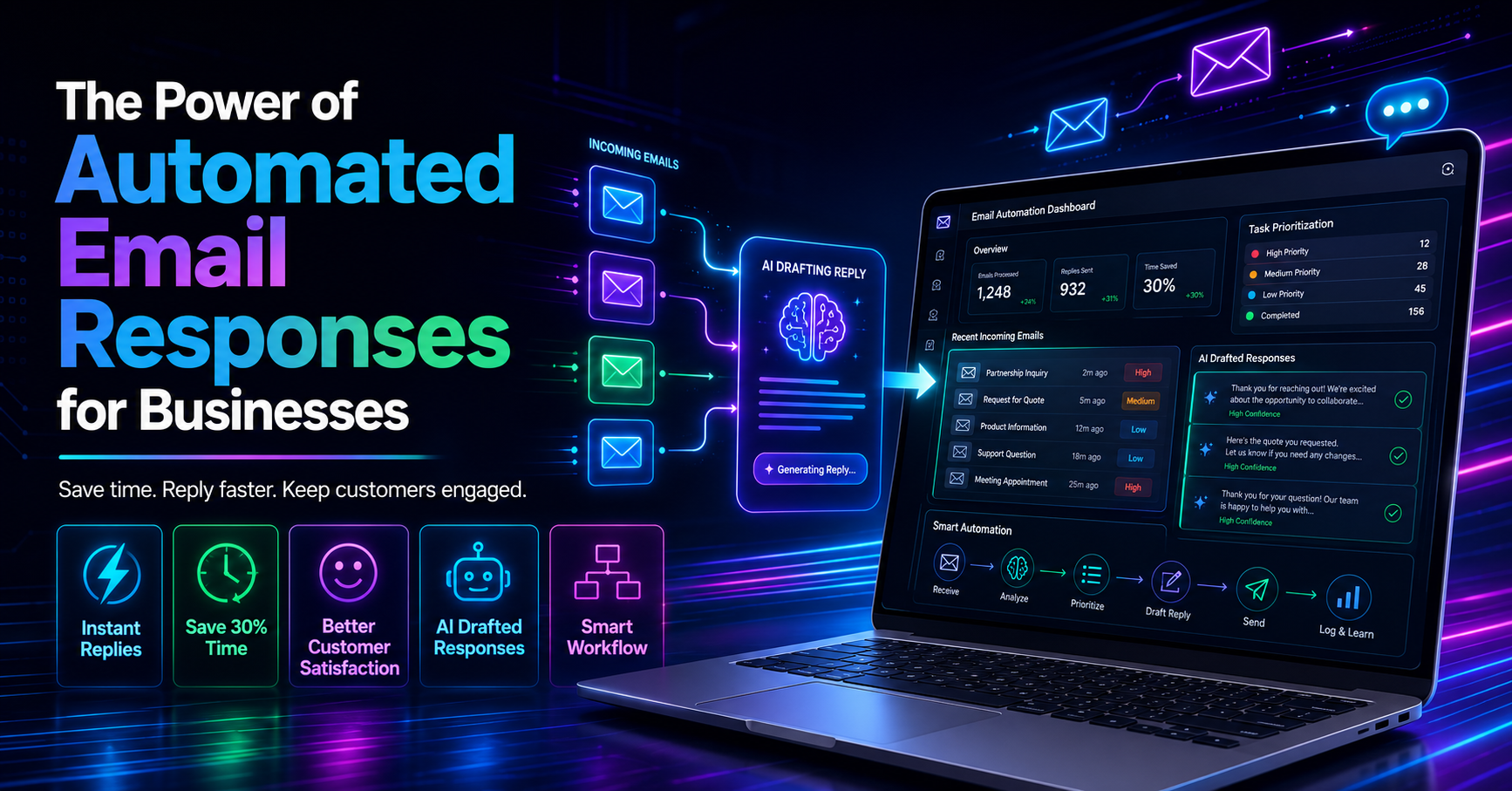
AI can significantly reduce response times by automating email replies. The AI Auto-Reply feature drafts responses in your voice, allowing for quick and contextual replies while maintaining communication quality. You always review and approve these responses before they are sent, ensuring your tone and message are preserved.
Imagine receiving a common inquiry about your services. Instead of composing a new email each time, the AI tool can suggest a tailored response based on similar past replies, allowing you to respond within minutes. This not only saves time but also helps standardize communication.
Pros: Saves time, maintains communication quality, increases response speed.
Cons: May not capture all nuances in complex situations.
This feature is particularly useful for customer service teams and professionals who deal with high volumes of repetitive inquiries.
Method 5: Detecting Revenue Risk in Emails
One of the critical functions of AI email management is the detection of revenue risk emails. This feature flags invoices, payments, and deal-critical communications that could impact your bottom line. The AI Decision Engine scores these emails, allowing you to prioritize your responses accordingly.
For example, consider an accounting firm that receives numerous invoices and payment reminders. The system can identify which emails require immediate attention and alert the user. This way, you can prevent late payments that might incur penalties or affect cash flow.
“Revenue risk emails are NEVER auto-sent. You always approve.”
Pros: Protects revenue, ensures critical communications are addressed.
Cons: Requires user diligence in reviewing flagged emails.
This method is essential for finance teams and businesses focused on maintaining cash flow and managing client relationships effectively.
Comparison of AI Tools
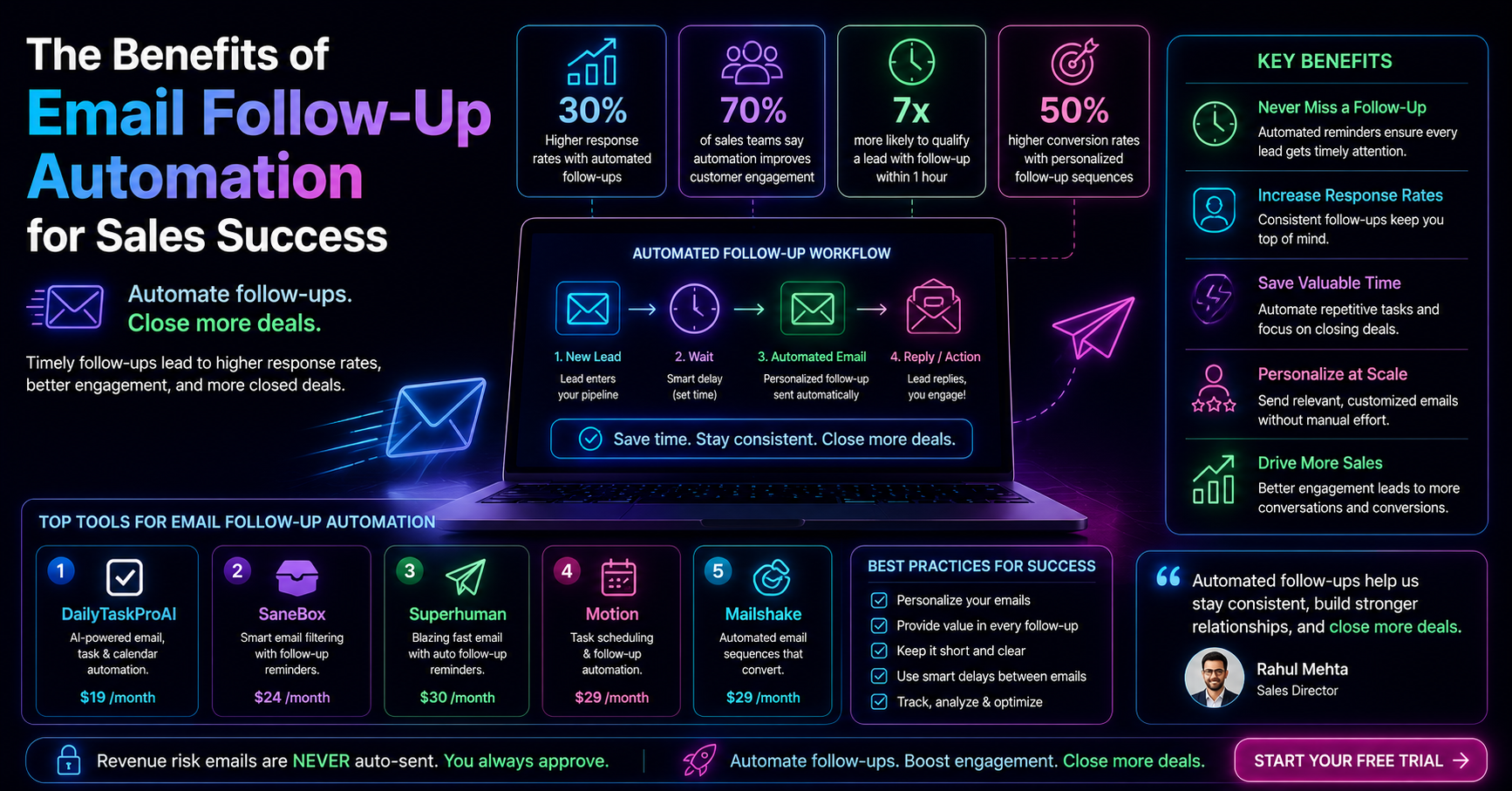
Feature DailyTaskProAI SaneBox Superhuman AI Email Scoring Yes No No Revenue Risk Detection Yes No No Smart Calendar Integration Yes No No Price/month $19 $24 $30
How to Choose the Right Tool
Choosing an AI email management tool depends on your specific needs. Consider the following factors:
Team Size: Smaller teams may benefit from simpler tools, while larger teams may need more robust features.
Email Volume: High email volumes require advanced prioritization and automation features.
Budget: Evaluate pricing plans carefully; DailyTaskProAI offers competitive pricing starting at $19/month.
Integration Needs: Ensure the tool integrates with your existing email system, whether it’s Gmail or Outlook.
Specific Requirements: For businesses in India, features like GST email management are critical.
FAQs about AI Email Management
1. How does AI improve email management?
AI enhances email management by automating repetitive tasks, prioritizing emails based on urgency, and providing contextual replies. This reduces the time spent on sorting and responding to emails, allowing you to focus on more critical tasks.
2. What are the benefits of using AI email management tools?
Benefits include increased productivity, reduced email response times, better organization, and enhanced prioritization of important communications. AI tools help you manage your inbox more efficiently, leading to less stress and improved workflow.
3. How does AI prioritize emails?
AI prioritizes emails through scoring systems that evaluate factors such as urgency, revenue risk, and sender importance. Tools like DailyTaskProAI use the AI Decision Engine to provide a ranked list of emails, helping users address the most critical messages first.
4. Can AI tools automate responses?
Yes, AI tools can automate responses by generating contextual replies in your voice. You review and approve these responses before they are sent, ensuring that your communication retains its personal touch.
5. What should I look for in an AI email management tool?
Look for features like email prioritization, revenue risk detection, task delegation, and integration capabilities. Ensure the tool meets your specific needs, such as calendar auto-scheduling and support for your email platform.
Optimize Your Email Management with DailyTaskProAI
In the face of overwhelming email volumes, it's time to take back control. DailyTaskProAI combines advanced AI email management, task prioritization, and calendar auto-scheduling, effectively addressing the pain points faced by professionals today. With features like the AI Decision Engine and Smart Calendar & Auto-Scheduling, you can streamline your workflow and boost productivity.
Start optimizing your email management with DailyTaskProAI today! Revenue risk emails are NEVER auto-sent. You always approve.
Resources & Further Reading
External Resources
The Importance of Automatic Email Management, Insightful article on how automation can enhance productivity.
The Future of Work in the Post-Pandemic World, Discusses the role of technology in modern workplaces.